



WhatsApp's rules ban automated or unauthorized collection of user data, full stop. But that's not the same category as an in-browser export of chats, group members, or media you're already signed in to see. If you're pulling data manually or through a local, browser-only tool, minimizing what you take, and getting consent before using it for marketing, you're operating in a low-risk, compliant zone. Tools like Mastros are built specifically for that zone.
TL;DR:
- Exporting chat history manually or with local browser tools is low risk; automated scraping against WhatsApp servers is strictly prohibited and can lead to bans.
- Chrome Web Store extensions handling personal data must disclose purpose, provide privacy policies, process data locally, and obtain user consent to comply with policies.
- Data minimization practices require limiting exports to necessary information, setting retention periods, and documenting lawful basis for marketing use under GDPR.
- Using Mastros' browser-based WhatsApp Scraper ensures data remains stored locally, reduces breach surfaces, and offers structured exports without routing data through third parties.
- Before exporting, verify proper access, set clear purposes, test exports on small groups, and treat sensitive data with encryption and controlled access afterward.
Table of Contents
- What Are WhatsApp's Rules on Automated Data Collection?
- Does Chrome Web Store Policy Affect Which Extensions You Can Use?
- How Do You Apply Data Minimization and GDPR Rules to WhatsApp Exports?
- How Do You Run a Safe, Compliant WhatsApp Export?
- How Mastros Fits Into a Privacy-First Export Workflow
- What Growth Teams Get Wrong About Export Compliance
- Try a Privacy-First Way to Export WhatsApp Data
- Where to Verify These Rules Yourself
- Sources
- FAQ
What Are WhatsApp's Rules on Automated Data Collection?
WhatsApp's own terms are blunt about this. The WhatsApp Business Terms of Service prohibit using automated or other unauthorized means to access, copy, or collect user information, and that includes group member lists. Building software that mimics WhatsApp's interface or runs unattended scraping scripts against its servers crosses a clear line. That's the behavior the policy targets, and it's why server-side scraping tools carry real account-ban risk.
Manual, in-browser exports sit in a different category. When you're logged into your own WhatsApp Web session and a tool reads what's already rendered on your screen, no unauthorized access is happening. You're viewing your own data through your own session, the same way copying a phone number by hand would work, just faster.
WhatsApp's native Export Chat feature has its own ceilings worth planning around:
- Without media: a practical export limit exists for the number of messages that can be exported as plain text.
- With media: the export limit is lower due to the large size of photos, videos, and voice notes.
- Both exports count backward from your most recent message, so older history can get cut off in long-running groups.
- Media-heavy exports are the most common failure point. Large chat histories with lots of attachments simply hit file-size walls before finishing, according to WhatsApp's own Export Chat documentation.
If your group has been active for years or you need media beyond that 10,000-message window, native export alone won't cut it.
Does Chrome Web Store Policy Affect Which Extensions You Can Use?
Yes, and it's worth checking before you install anything that touches your WhatsApp Web session. Google's Chrome Web Store developer program policies require any extension handling personal or sensitive data to follow "Limited Use" rules: disclose a single stated purpose, publish a real privacy policy, and never let a human read your data without explicit consent.
Secure data transport (HTTPS or WSS) is also mandatory for extensions that touch user data, not optional best practice.
For anyone vetting an extension before rolling it out to a team, that translates into a short checklist:
- Does it publish an actual, readable privacy policy, not a placeholder page?
- Does it clearly state one purpose, rather than bundling exports with unrelated tracking or ad features?
- Does it process data locally in your browser, or does it route your WhatsApp session data through a third-party server?
- Does it ask for consent before any data leaves your device?
Pro Tip: If an extension's store listing doesn't name a privacy policy URL, don't install it, no matter how good the feature list looks. That's a Chrome Web Store violation waiting to get the extension pulled, and you don't want your export history tied to a tool that disappears.
How Do You Apply Data Minimization and GDPR Rules to WhatsApp Exports?
Compliance here isn't abstract. It comes down to five habits that map directly onto GDPR guidance from the European Data Protection Board, which frames data minimization and local processing as core privacy-by-design measures, not extras.
- Export only what the task needs. If you're building a CRM list, you probably need names and phone numbers, not full message history. Pull the narrower dataset.
- Set a retention window before you export, not after. Decide how long the file lives on a drive and delete it on schedule.
- Separate research or backup use from marketing use. The ICO's direct marketing guidance treats any activity that enables marketing as marketing itself, which means an exported contact list used for outreach needs a documented lawful basis, typically consent, not just "legitimate interest" assumed after the fact.
- Handle group member data involving minors or vulnerable people with extra caution. The EDPB's guidance on age assurance and data minimization recommends limiting collection and favoring device-based processing specifically because sensitive attributes carry higher risk if mishandled.
- Keep an audit trail. Log the export date, stated purpose, and legal basis alongside the file itself, so if anyone asks why a contact is in your CRM six months later, you have an answer.
Local-only processing does a lot of this work automatically. When an export never touches a server, there's no server log to secure, no breach surface to worry about, and no second copy of personal data floating outside your control. That's the practical argument for browser-based tools over anything that routes your WhatsApp session through someone else's infrastructure.
How Do You Run a Safe, Compliant WhatsApp Export?
Before you export anything, confirm you actually have legitimate access to the group or chat, and consider giving admins a heads-up if you're pulling member data for research or outreach. Decide your purpose and retention period upfront, not as an afterthought once the file is sitting on your desktop.
From there, pick your method based on scale:
- Use WhatsApp's native Export Chat when you need a quick text backup of a smaller conversation and don't need structured fields for a spreadsheet or CRM.
- Use a privacy-first browser extension when you need group member lists, structured CSV or JSON output, or media beyond the native 10,000-message ceiling.
If you go the extension route, the run itself should follow a consistent pattern:
- Set your message range or scroll-back depth so you're not pulling more history than the task requires.
- Select specific media types (photos, videos, voice notes) instead of grabbing everything indiscriminately.
- Run a small sample export first and check the output before committing to a full group or long chat history.
- Confirm hidden or masked phone numbers stay hidden in the exported file. If a tool reveals numbers WhatsApp itself keeps private, that's a red flag, not a feature.
Pro Tip: Test on your smallest, lowest-stakes group first. It takes two minutes and saves you from discovering a formatting problem only after exporting 400 contacts.
Once the file exists, treat it like any other sensitive dataset: encrypt it if it's leaving your device, restrict who on the team can open it, and set a calendar reminder to delete it when the retention window closes.
How Mastros Fits Into a Privacy-First Export Workflow
Mastros runs entirely inside your browser. Nothing you export gets uploaded to a Mastros server, there's no API key to manage, and no second login beyond the WhatsApp Web session you already have open. That architecture is what data minimization looks like in practice: fewer copies of your data exist, because none of it ever leaves your machine.
The WhatsApp Scraper extension exports group members, chat messages, and your full contact list, and pulls a conversation's photos, videos, and voice notes in bulk. You control the shape of every run:
- Choose which media types to include instead of downloading everything by default.
- Set how far back a scroll reaches, so exports stay scoped to the time window you actually need.
- Export directly to CSV or JSON, ready for a spreadsheet or CRM import.
It also respects the same operational boundaries this article has been describing throughout. It never sends messages, never auto-replies, never reveals hidden phone numbers, and doesn't rely on the WhatsApp Business API. It reads what your signed-in session already shows you, and saves it.
What Growth Teams Get Wrong About Export Compliance
Most teams treat "is this legal" as a binary question, when the real question is "what am I doing with this data next." A recruiter pulling group members to check for duplicate candidates and a growth team pulling the same list to cold-message everyone are doing technically identical exports with completely different compliance obligations. The export itself is rarely the risk. What happens after is.
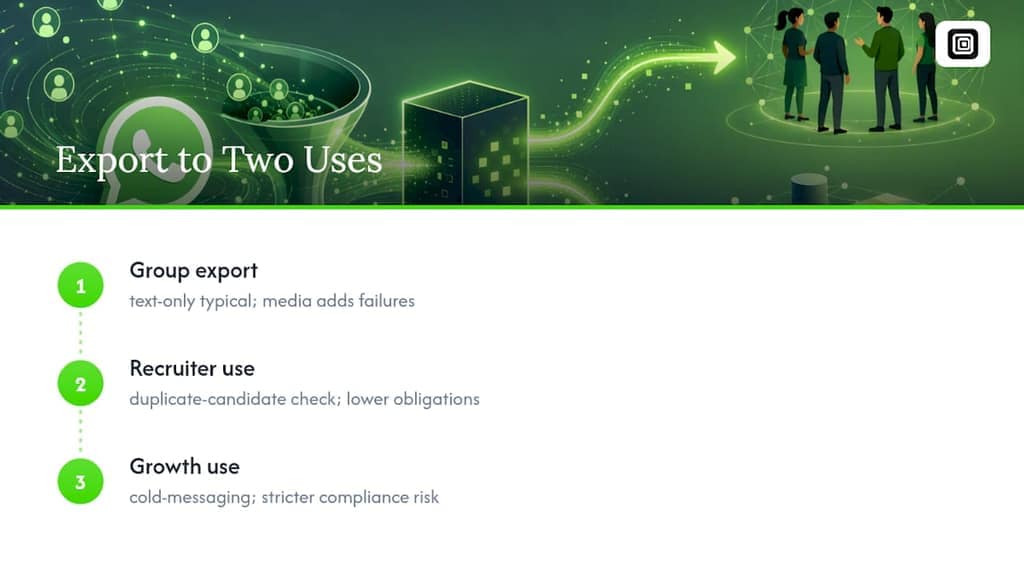
Text-only exports cover most research and CRM use cases. Reach for media exports only when the actual content, not just the message log, matters to your purpose, since bulk media pulls carry higher file-size failure rates and slower runs for marginal benefit if you don't need the attachments.
The habit worth building isn't a bigger toolkit. It's asking, before you click export, whether you'd be comfortable explaining your purpose to the people whose data you're collecting.
— Elias Mahdavi
Try a Privacy-First Way to Export WhatsApp Data
Mastros gives growth teams, recruiters, and community managers a browser-only alternative to server-side scraping tools that ask for API credentials or a second login you don't control. Because everything runs locally in your own WhatsApp Web session, there's no server-side copy of your data sitting somewhere you can't audit. Growth teams building CRM lists, recruiters vetting candidate groups, and researchers archiving communities can all pull exactly the fields they need through the WhatsApp Scraper, or grab bulk photos, videos, and voice notes with the WhatsApp Media Downloader. Free, Pro, and Scale plans are all listed on the Mastros site, so you can start with a small export and scale up once you see how it fits your workflow.
Where to Verify These Rules Yourself
Read the primary sources directly rather than taking any summary at face value. WhatsApp's own Terms of Service and Export Chat documentation set the platform rules. Google's Chrome Web Store policies govern extensions. For legal grounding, the EDPB's design guidance and the ICO's marketing rules cover minimization and consent. Teams weighing authorized integrations against in-browser exports can also review compliant automation options for context.
Sources
- WhatsApp Business Terms of Service (excerpt)
- Chrome Web Store developer program policies
- EDPB Guidelines on data protection by design and by default
- ICO: Direct marketing and privacy and electronic communications
- WhatsApp Help Center — Export chat history
FAQ
Is Exporting WhatsApp Group Members Legal?
Exporting group member data you can already see in your own WhatsApp Web session, manually or through a local browser tool, is a different category from the automated or unauthorized collection banned under WhatsApp's Terms of Service. Whether you can use that data afterward for marketing depends on separate consent rules, not the export itself.
What's the Difference Between WhatsApp's Native Export and a Browser Extension?
Native Export Chat has a practical export limit for the number of messages without media, and a lower limit with media, always counting backward from your most recent messages, per WhatsApp's own documentation. A browser extension like Mastros' WhatsApp Scraper lets you set your own message range and export structured CSV or JSON files instead of a plain text dump.
Do I Need Consent to Use Exported WhatsApp Contacts for Marketing?
Yes. The ICO defines direct marketing by purpose, meaning any list prepared from an export and later used for outreach needs a documented lawful basis, usually consent, before you send anything.
Does Mastros Upload My WhatsApp Data Anywhere?
No. Mastros runs entirely in your browser and never uploads exported data to its own servers, and it doesn't require an API key or a second login. Pricing details for the Free, Pro, and Scale plans are listed on the Mastros site.
Can an Extension Reveal Hidden WhatsApp Phone Numbers?
A properly built export tool respects whatever privacy masking WhatsApp already applies and never reveals numbers the platform keeps hidden. If a tool claims to unmask hidden numbers, treat that as a warning sign rather than a feature.