


Free plan · Pro and Scale for more
 Instagram · Chrome extension
Instagram Follower Export & Scraper
Mastros does what people searching for an Instagram scraper want: it exports followers, following, comments, likers, posts, reels and stories from instagram.com to CSV, XLSX or JSON, and downloads media in original quality, in your own browser session. It only reads, and resumes where Instagram paused it.
Code IGFREEMONTH: first month free · No account on Free · It only reads
 Mastros
For the follower and following lists on their own, see the Instagram follower export tool. For a post's comments and likers, see Instagram comment export.
On screen
What you see on screen
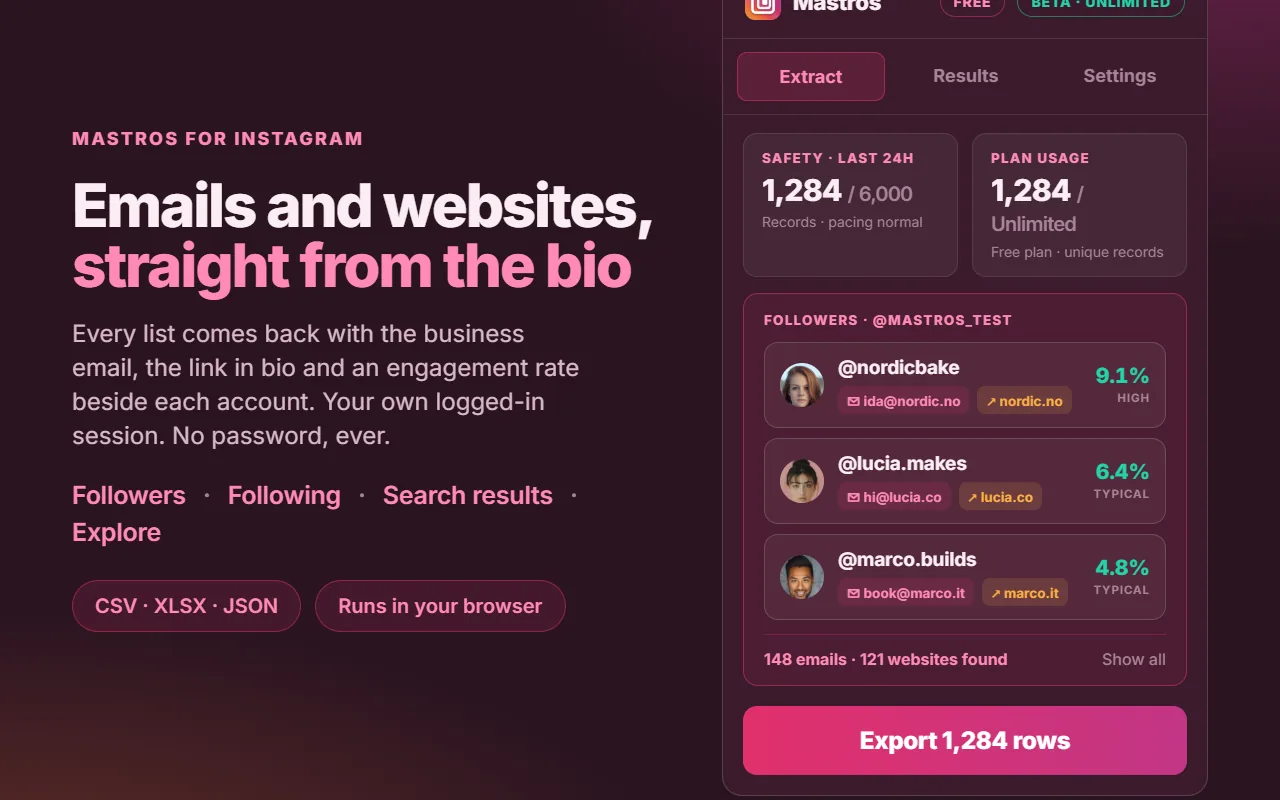
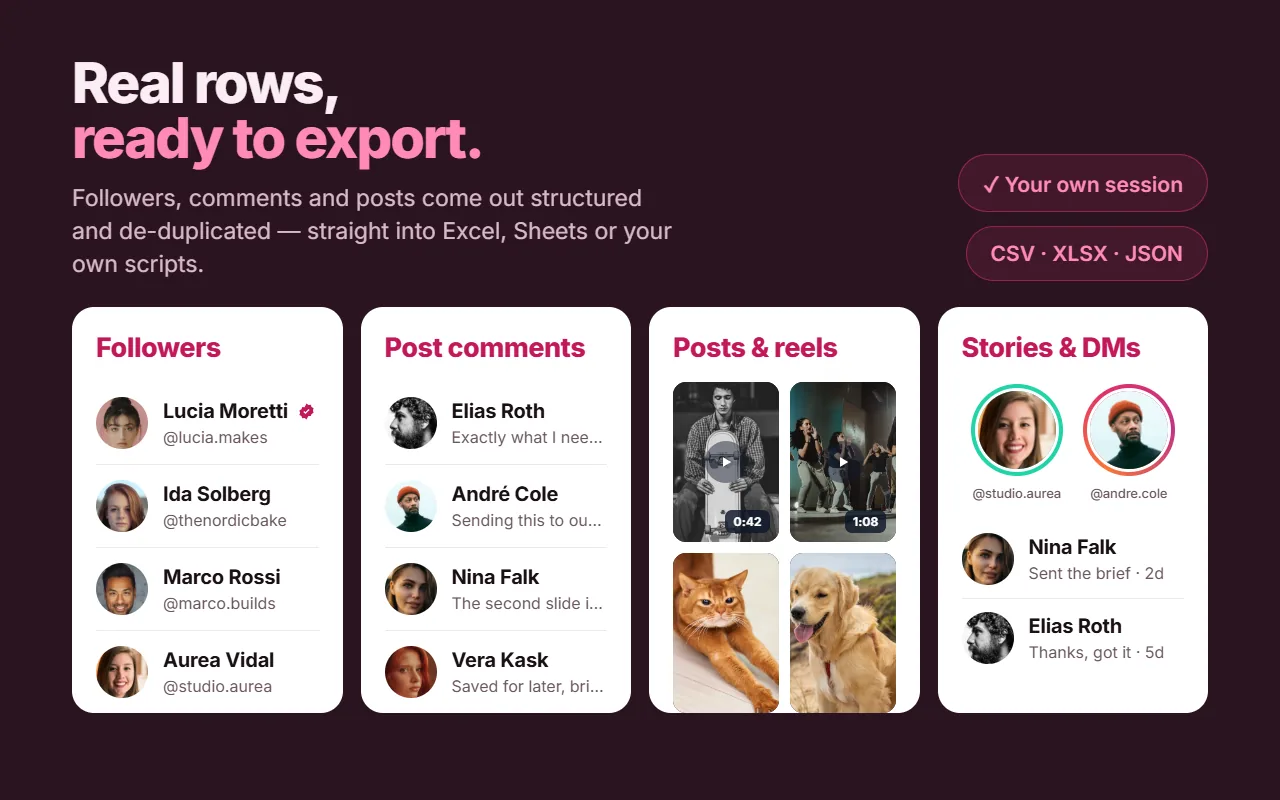
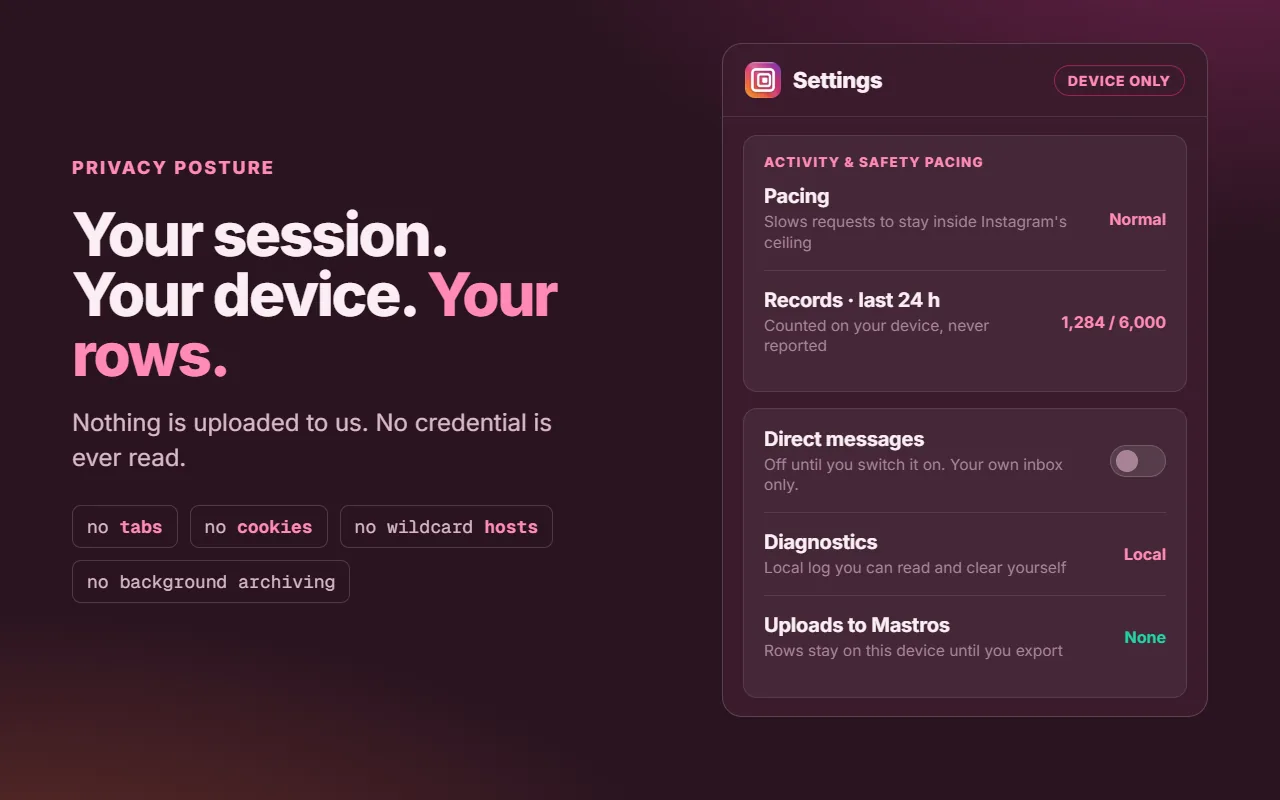
Every list comes back with the business email, the link in bio and an engagement rate beside each account. Your own logged-in session. No password, ever.
How it works
How it works
Install, open Instagram, pick a surface, save the file. Nothing runs on its own.
Add the extension
One click from the Chrome Web Store. No sign-up wall.
Open Instagram
A profile for followers or media, a post for comments and likers.
Pick what to save
Watch rows come in. Pause or stop any time and keep what you have.
Save the file
CSV, XLSX or JSON, named by surface, account and date.
What you get
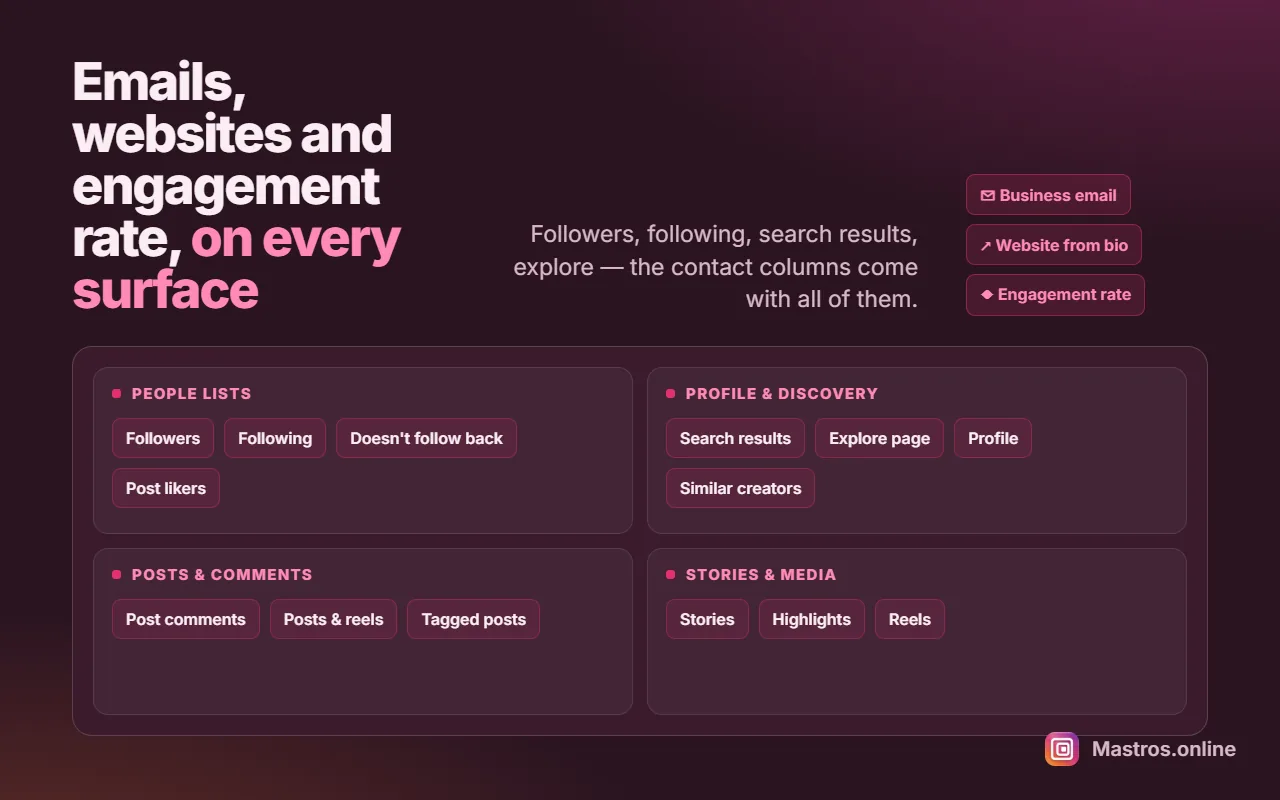
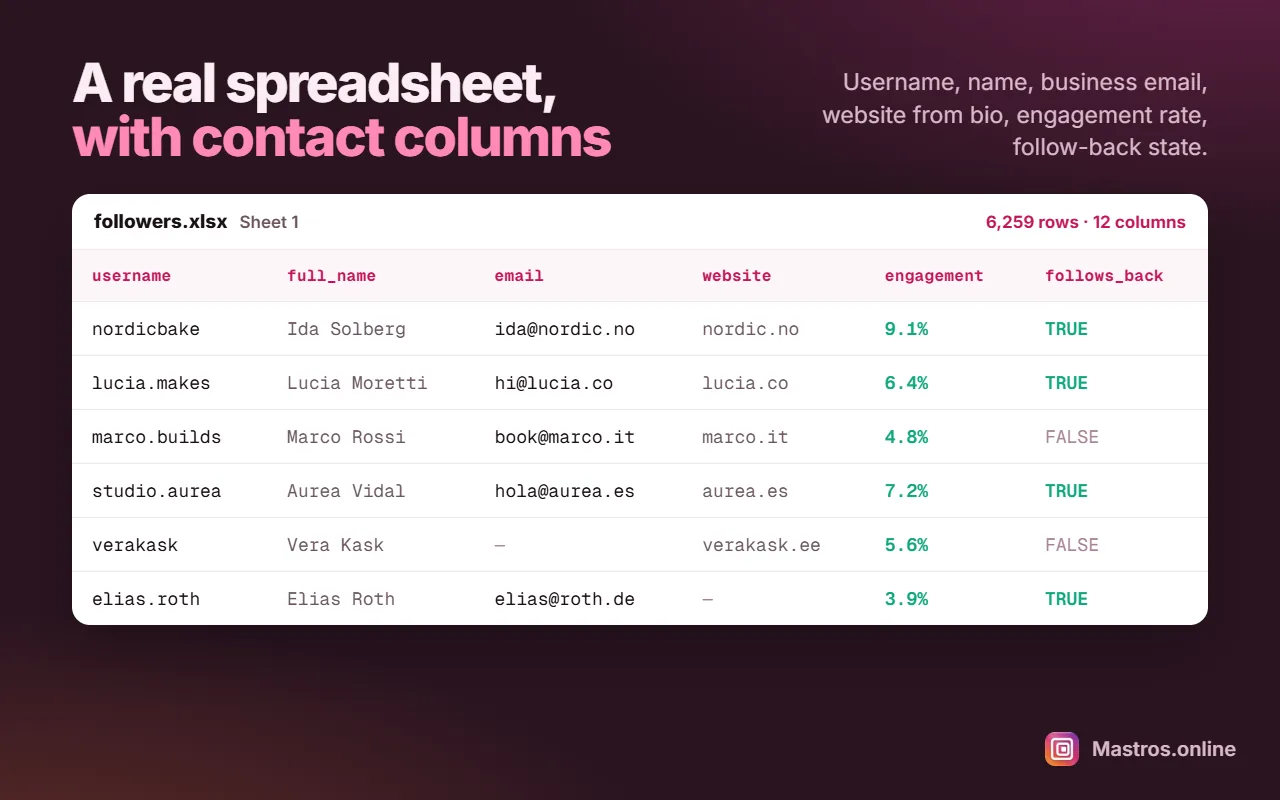
Seventeen surfaces across people, posts, stories, discovery and media, with email, website and engagement rate columns on the people lists. These are the ones you'll use most.
Emails & websites from the bio
The business email and the link in bio as columns on followers, following, search results and explore.
Followers & following
Any profile's lists with username, name, verified and follows-you flags.
Doesn't follow back
The difference between the two lists as its own file, at no extra cost.
Comments & likers
A post's comments with their reply threads, and the people who liked it.
Posts & reels
One row per post with its counts. Carousels are folded in, not split.
Stories & highlights
Active stories and saved highlights you can see, plus reels with play counts.
Bulk media download
Original quality, single posts or a whole profile, with a folder per profile.
Engagement rate
Beside every account, computed over its last 12 posts. It costs nothing from your limit.
Pauses, never fails
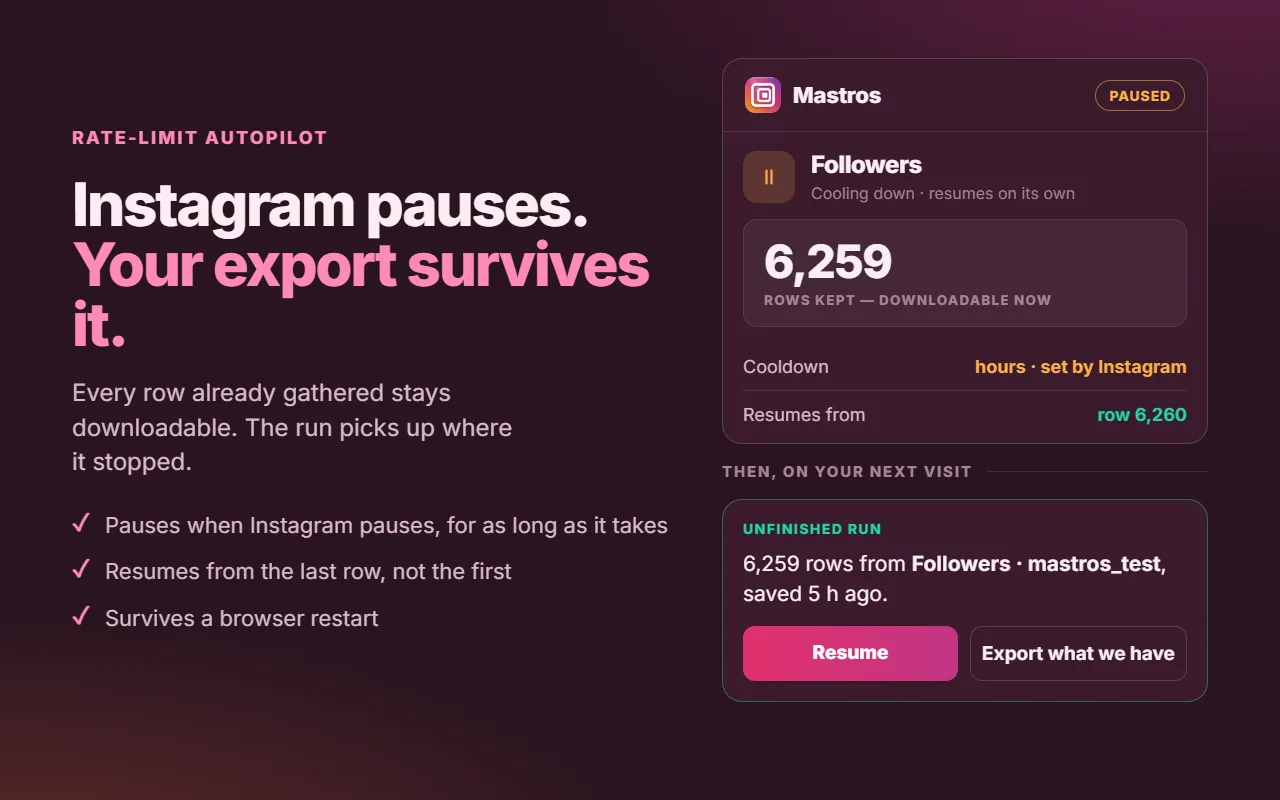
When Instagram limits a list, every row is kept and the run resumes later.
It only reads
No follows, likes, comments or messages, and no password, ever.
Several of these exports carry an email column, filled from the address a creator wrote in their own bio. See the Mastros Instagram Email Finder.
Why it's different
The follower export that picks up where it left off
Instagram limits how much of any list one session can read. Most tools hit that wall and hand you an empty file. Mastros is built around the wall instead: when Instagram pauses a list, every row you already have stays saved, the panel tells you plainly what happened, and the run resumes from the last row, even after you close the browser. There is no silent empty file.
The pause applies per list, not per account: while a long follower export waits, you can keep saving comments, posts, stories or media.
Pricing
Pricing
Every surface on every plan. Only the monthly record limit changes.
Your first month free with IGFREEMONTH
The beta has ended. Enter IGFREEMONTH when you upgrade in the extension and your first month of Pro or Scale is free. The code works until 22 December 2026.
Free
Every surface, no card
- Every surface unlocked
- No account needed: one exported row = one record
Pro
Most popularBest if you export a lot
- Every surface unlocked
- Bigger monthly limit
Scale
For very big jobs
- No monthly record limit from us
- Every surface unlocked
One exported row is one record: a follower, a comment, a liker, a post. Rows you have already saved never count twice.
Need more than one site? Mastros AI covers every site in one plan.
Reviews
What people say
4.95 out of 5 from 152 reviews across all Mastros extensions on the Chrome Web Store. Read every review
I tested the extension and everything I tried worked smoothly chat messages exported successfully to csv, group members were well organized, and media was downloaded into a zip file i especially liked that it can find a member’s profile name when it isn’t shown in the group.
Works really well and saves me a lot of time when downloading Telegram videos and media. Simple, useful, and easy to use.
Building lead lists used to feel like an endless punishment of copy pasting profile URLs all afternoon.This extension detects search results instantly and pulls the whole batch into an excel file with clean aligned columns
Frequently asked questions
Add Mastros for Instagram to Chrome
It only reads, and your data stays on your computer.
Also available