



WhatsApp groups work as a top-of-funnel sourcing and community channel, not a replacement for structured screening. Used with explicit opt-in, admin moderation, and a routing flow into your ATS, they can compress time-to-hire dramatically for local and frontline roles. Skip the opt-in step or run mass messaging from a personal number, and you risk a ban plus a candidate-data mess. Start with one focused group, log every consent, and scale to the Business API only once volume demands it.
TL;DR:
- WhatsApp groups are effective for urgent, local, and frontline role hiring but are unsuitable for highly structured screening or confidential executive searches.
- Using personal numbers for mass messaging violates WhatsApp policies and risks account bans, which endanger candidate data and consent records.
- Setting up a dedicated, compliant group with clear rules, pinned instructions, and admin-only posting ensures professionalism and engagement over time.
- Moving candidates into private chats and central ATS logging prevents conversation silos and maintains candidate history when staff change roles.
- Scaling with the Business API and tools like chat exporters is necessary for volume hiring, audit readiness, and maintaining data integrity at larger scales.
Table of Contents
- How Recruiters Actually Use WhatsApp Groups for Hiring
- What Are the Compliance Risks of WhatsApp Group Recruiting?
- How Do You Set Up a WhatsApp Talent Community Group?
- Moving Candidates From the Group Chat to Your ATS
- Scaling Beyond One Group: Broadcast Lists, Business API, and BSPs
- What Metrics Should You Track for WhatsApp Recruiting?
- What Do Real WhatsApp Group Hiring Case Studies Show?
- Personal WhatsApp vs. Business App vs. Business API: What's the Difference?
- How Many Members Can a WhatsApp Group Hold?
- How Do You Keep a Recruiting Group Professional and Engaged?
- What Legal Risks Go Beyond Messaging Policy?
- How Should WhatsApp Recruiting Fit With Other Channels?
- How Can Broadcast Lists and Labels Improve Your Workflow?
- What Are the Limits of Recruiting Only Through WhatsApp Groups?
- A Practitioner's Take on Getting Started This Week
- How Mastros Helps You Preserve WhatsApp Recruiting Records
- Sources
- FAQ
How Recruiters Actually Use WhatsApp Groups for Hiring
Recruiting from WhatsApp groups tends to work best where speed and local trust matter more than deep structured screening. Think warehouse shifts starting Monday, a retail chain opening three new stores, or a hospital ward that needs certified nursing assistants by the weekend. In these cases, a message dropped into an active local group often get read within minutes, not days.
That speed advantage comes from context, not magic. Group members already trust the admin or the person who added them, so a job post reads less like spam and more like a tip from a neighbor. Recruiter playbooks covering WhatsApp for recruiting point out that this closeness helps build warm talent pools recruiters can return to for future openings, not just a one-time blast.
The main use cases where WhatsApp groups earn their place in a sourcing strategy include:
- Urgent local hiring: filling shift-based or hourly roles within a tight geographic radius, often inside 48 to 72 hours.
- Frontline cohorts: delivery drivers, technicians, retail staff, and hospitality workers who check phones more often than email.
- Campus and community sourcing: reaching students, alumni networks, or trade-school groups where word travels through existing chats.
- Warm talent communities: a standing group of past applicants and referrals you can reactivate whenever a similar role opens.
Where groups fall flat is anywhere the hiring decision is sensitive or the screening needs to be highly structured. Recruiting from WhatsApp groups is a poor fit for confidential executive searches, roles requiring multi-stage assessments before any human contact, or high-volume pipelines where you need consistent, auditable scoring across hundreds of applicants without automation. A group thread is a terrible place to run a competency matrix. Use it to generate interest, then move fast to a private channel for anything that actually decides who gets hired.
What Are the Compliance Risks of WhatsApp Group Recruiting?
WhatsApp's own Business Messaging Policy requires prior consent before you send proactive business messages, and it treats consent as the line between legitimate outreach and spam. Cold-message a list of numbers you scraped from a job board, and you are exposed to an account ban regardless of how good your intentions are.
The most common trigger for account flags isn't a single bad message. It's the pattern: a recruiter using a personal number to blast the same job post to hundreds of unconnected contacts, over and over, with no opt-in trail. Playbooks on WhatsApp for recruitment identify exactly this behavior, personal numbers plus unmanaged broadcast lists at scale, as the single most common reason recruiter accounts get flagged or banned.
Statistic to remember: a ban doesn't just cost you a phone number. It costs you every opt-in record, every conversation history, and every candidate relationship tied to that number, unless you've backed them up somewhere else.
Building consent into your workflow from day one solves most of this. Practical opt-in capture methods include:
- A QR code at a job fair or on a flyer that opens a pre-filled WhatsApp message ("I'd like to join the [Company] jobs group").
- A "message to apply" call-to-action on job posts, so the candidate initiates contact rather than you.
- An explicit consent checkbox on your application form that states you'll follow up over WhatsApp, with a timestamp you can retrieve later.
Data handling matters just as much as consent capture. Recording every candidate interaction only in a personal phone's chat history creates a recordkeeping gap the moment that recruiter changes roles or the phone gets lost. Centralize consent proof and message logs in a shared system, whether that's your ATS, a shared drive, or an exported record, so the paper trail survives staff turnover. A tool like the chat exporter built for recruiters can help pull that history out of WhatsApp Web for safekeeping without needing API access.
How Do You Set Up a WhatsApp Talent Community Group?
Running a job or talent group well is mostly about the setup you do before you send a single invite. Get the scope wrong at the start and you'll spend months moderating a group that never delivers qualified candidates.
- Define the audience first. Decide if this group covers one role type (delivery drivers in one city), one location, or a broader talent community for future openings. A group trying to be everything to everyone loses relevance fast.
- Choose your invite method. The three that work best are an opt-in link shared on job posts, a QR code at recruiting events, and a follow-up invite sent after someone applies through your normal channel. Guidance on lead generation from WhatsApp walks through building these opt-in flows without pressuring people into joining.
- Lock down admin-only posting. Only admins should be able to post job announcements. This keeps the group from turning into a free-for-all where unrelated messages bury your actual openings.
- Pin the rules and a welcome message. New members should see, immediately, what the group is for, how often they'll hear from you, and how to leave. An automated welcome message covering these basics saves you from answering the same questions fifty times.
- Set a content cadence. Two or three posts a week keeps a group active without becoming noise. Pin a template for job posts so every listing includes the same core details: role, location, pay range, and how to apply.
- Assign moderation responsibility. Someone needs to own removing spam, answering basic questions, and enforcing the opt-out process. Without a named owner, moderation quietly stops happening within a month.
Pro Tip: Put your opt-out instructions in the pinned message, not buried in a welcome text nobody rereads. A group where people feel trapped generates complaints; a group where leaving is one tap away generates trust, and trust is what keeps people reading your posts six months from now.
Moving Candidates From the Group Chat to Your ATS
A job group is a funnel entrance, not a filing cabinet. The moment someone responds with interest, your job is to get them out of the open thread and into a tracked, private conversation before the exchange turns into noise.
The fastest way to do this is an automated reply that fires the instant someone messages "interested" or applies. That reply should confirm their opt-in and immediately ask two or three screening questions, things like availability, location, and relevant certification. This isn't just efficient; it converts a loose thread reply into something closer to a searchable candidate profile, cutting down the manual triage a recruiter would otherwise do by hand.
Once someone clears that basic filter, move them to a private chat or a formal application form. Never keep a real screening conversation happening inside the group itself, both because it's unprofessional in front of other members and because you lose the ability to track it against a specific candidate record.
Operationally, this means:
- Auto-reply confirms opt-in and asks 2 to 3 structured screening questions immediately.
- Candidates who pass the basic filter get moved to private chat or directed to a formal application link.
- Every WhatsApp interaction gets logged in your ATS or CRM, not left sitting in a personal phone's message history.
- No recruiter should be the sole owner of a candidate conversation happening only on their personal device.
That last point deserves emphasis. Conversation silos on personal phones are the number one reason teams lose candidate history when a recruiter leaves or switches roles. If the only record of a promising applicant lives in someone's personal WhatsApp, that record disappears the day they hand in their laptop. Exporting group and chat data periodically into a shared file closes that gap without requiring anyone to change how they message day to day.
Scaling Beyond One Group: Broadcast Lists, Business API, and BSPs
Recruiting from WhatsApp groups works fine at small scale. The moment you're managing multiple roles across multiple cities, the tools that got you started working against you.
Free WhatsApp Business app broadcast lists cap out at 256 recipients, and every recipient has to have your number saved as a contact for the broadcast to land. Push past that comfortably and WhatsApp's spam detection tends to flag the account, especially if messages go out in quick bursts. Experts covering the risks of using WhatsApp for business are consistent on this point: treating WhatsApp like a mass-texting channel is the fastest way to lose the account entirely.
The Business API changes the math. It removes the per-list recipient cap, requires pre-approved message templates (which forces you to think through your messaging in advance), and supports a multi-agent inbox so several recruiters can work the same number without stepping on each other. Recruitment playbooks covering the Business API and BSP integration path recommend it specifically for teams that need automated screening replies and direct ATS logging at volume.
Deciding when to make the jump comes down to a few honest questions:
- Are you sending the same job post to more than 200 to 300 people at once, more than once a week?
- Do you need more than one recruiter responding from the same number?
- Are you losing track of who opted in and when, because it's scattered across group chats and personal contacts?
If you answer yes to any of those, it's worth engaging a Business Solution Provider. Ask them directly about template approval turnaround, how they track and store opt-in consent, and their per-message cost structure before signing anything. A guide on WhatsApp prospecting practices covers the same manual-versus-API tradeoff from a sales angle, and the ban-risk logic transfers directly to recruiting.
What Metrics Should You Track for WhatsApp Recruiting?
Recruiting from WhatsApp groups only earns a permanent spot in your sourcing mix if you can show it produces hires, not just replies. The KPIs that matter most are response rate, qualified applicant rate, interview attendance, time-to-hire, and total hires attributed to the group.
Setting this up doesn't require new software. Add a UTM parameter to any application link you share in a group, tag the source field in your ATS as "WhatsApp group" or the specific group name, and review those tags weekly alongside your other channels.
What to expect: response rates on frontline and hourly roles tend to run noticeably higher than email, largely because people already have the app open throughout the day, a pattern WhatsApp recruiting guides point to when recommending opt-in, template-based candidate outreach. Niche or specialized roles see a different pattern: fewer total responses, but the people who do respond tend to reply faster and are often more qualified, since they self-select out of a smaller, more relevant group.
The comparison worth tracking over time:
- Response rate by group versus your email and job-board baselines.
- Qualified applicant rate: how many responders actually meet basic criteria.
- Time from first group message to filled role, by role type.
- Interview show-up rate for candidates sourced through groups versus other channels.
If a group's numbers lag behind other channels for three consecutive postings, that's your signal to either re-scope the group's audience or retire it rather than let it quietly drain moderation time.
What Do Real WhatsApp Group Hiring Case Studies Show?
The clearest recent example comes from Ahmedabad, where an employer hired 20 technicians in a single week by posting openings in local WhatsApp groups and offering a modest INR 200 referral incentive per successful hire. The speed came from social trust: group members vouched for people they already knew, which cut down the usual back-and-forth of verifying a stranger's resume.
That same social-trust dynamic is what makes community-driven hiring risky if left unchecked. Coverage of how WhatsApp groups became local job boards notes that fast, trust-based hiring can slide into informal power structures, where the loudest or best-connected group member effectively controls who gets referred, unless a recruiter builds in independent verification.
Community hiring through referral-driven groups delivers real speed and real cost savings for local and frontline roles. The tradeoff is that trust-based referrals can quietly replace objective screening unless someone deliberately checks credentials outside the group thread.
The lesson isn't to avoid referral incentives. It's to pair them with a verification step, credential check, reference call, background check, that happens regardless of who vouched for the candidate.
Personal WhatsApp vs. Business App vs. Business API: What's the Difference?
Recruiters often start on personal WhatsApp because it's already installed, and that's exactly where the risk begins. A personal account has no message templates, no official business profile, and no protection if WhatsApp's spam detection flags outbound volume, because the platform never designed it for business use at scale.
The Business app (free) adds a verified business profile, quick replies, automated greeting and away messages, and labels for organizing chats. It's a real step up for a single recruiter managing one or two groups, but it still caps broadcast lists at 256 contacts per list and depends on recipients having saved your number.
The Business API removes that ceiling entirely. It requires going through a Business Solution Provider, uses pre-approved message templates instead of freeform texts, and supports multiple agents working from the same number simultaneously. It also plugs directly into an ATS or CRM, so every conversation logs automatically instead of living only in an app.
| Feature | Personal WhatsApp | Business App | Business API |
|---|---|---|---|
| Cost | Free | Free | Paid, per-message or subscription |
| Broadcast cap | None built for this use | 256 per list | No hard cap |
| Message templates | No | Limited | Yes, pre-approved |
| Multi-agent inbox | No | No | Yes |
| ATS/CRM integration | No | Limited | Yes |
| Ban risk at scale | High | Moderate | Low, with compliant templates |
For a single recruiter running one community group, the Business app covers the need. Once multiple recruiters or multiple simultaneous roles enter the picture, the API stops being optional.
How Many Members Can a WhatsApp Group Hold?
A single WhatsApp group tops out at 1,024 members. That cap matters more than it looks, because hitting it mid-campaign means new candidates simply can't join, no error message telling them why, just a dead invite link.
The fix isn't cramming more people into one group. It's admin-only posting from the start, so the group stays legible as it grows toward that ceiling, and a plan for what happens once it's full.
Admin-only settings should go on before you send your first invite, not after the group turns chaotic. Once posting is open to everyone, retrofitting rules onto an established group causes friction and complaints. Set it as admin-only, pin a short explanation of why, and members rarely push back if the value they're getting (real job alerts) stays consistent.
Once a single group approaches its cap, the standard move is to split by criteria that already makes sense for your hiring, geography, role type, or shift, rather than by an arbitrary cutoff number. A "Retail Jobs, North Region" group and a "Retail Jobs, South Region" group each stay well under the limit and remain more relevant to members than one sprawling group would be anyway.
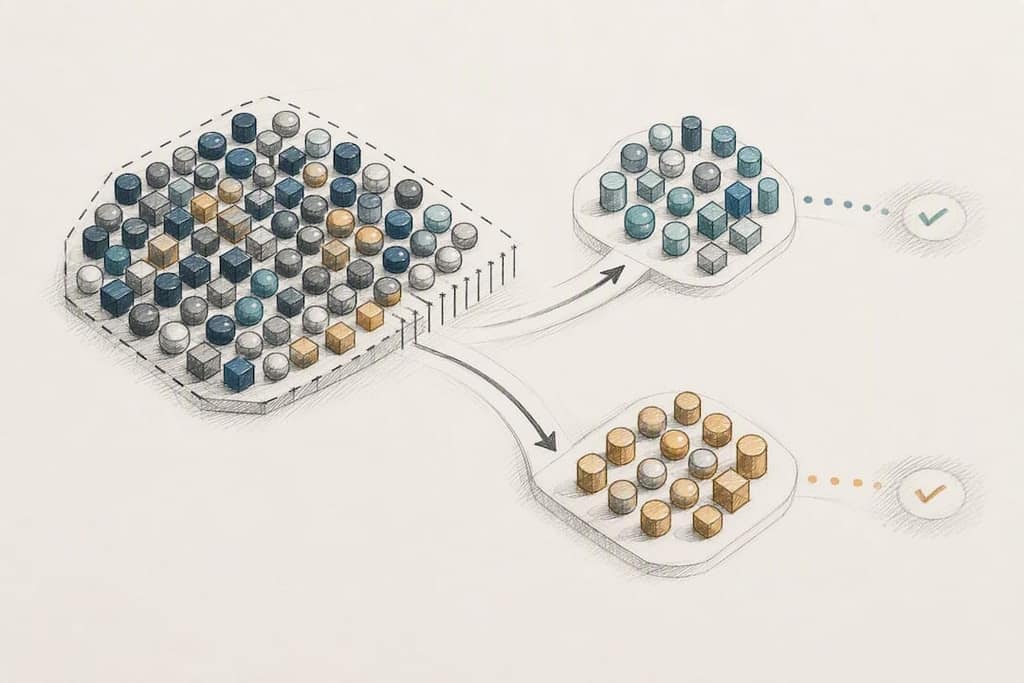
One practical side effect of the 1,024 cap: it forces discipline. A recruiter tempted to build one giant catch-all group for every open role eventually has to segment by necessity, and that segmentation almost always produces better-targeted, higher-response groups than the sprawling version would have.
How Do You Keep a Recruiting Group Professional and Engaged?
Groups drift toward chaos without active moderation, and chaos is what kills response rates faster than anything else on this list. Members who see off-topic arguments, repeated spam, or forwarded chain messages mute the group within days, and a muted group is functionally dead even if the member count looks healthy.
The starting move is restricting who can post. Admin-only posting, covered earlier for the setup phase, is also your primary ongoing defense against professionalism slipping. It stops informal side conversations from crowding out actual job listings.
Beyond that setting, a few habits keep engagement healthy over months, not just at launch:
- Respond to direct questions within a reasonable window; a group that goes silent for days after someone asks about pay looks abandoned.
- Remove spam and off-topic links promptly rather than letting them sit, since a slow cleanup signals the group isn't actively watched.
- Vary content slightly, mixing job posts with a quick tip or a "we just filled this role, thanks for sharing" update keeps the group feeling alive rather than purely transactional.
- Reintroduce the group's purpose periodically. A short pinned-message refresh every few months reminds long-time members why they joined and resets expectations for newer ones.
Freelance and staffing-focused guidance on building talent communities on messaging apps makes a point worth repeating: a group only stays valuable to members when it consistently offers something beyond job postings, career tips, industry news, or genuinely useful advice. Pure job-blast groups have a shorter shelf life because members join for one specific opening and drift away once it's filled.
What Legal Risks Go Beyond Messaging Policy?
WhatsApp's consent rules protect the platform relationship, but they don't touch the separate legal exposure that comes from how a job post gets written and who actually sees it. That's a bigger blind spot than most recruiters realize when they're moving fast in a group chat.
Equal opportunity and anti-discrimination rules apply to WhatsApp job posts exactly as they apply to a formal job listing, even though the format feels informal. A message that specifies age, gender, or marital status as a preference, common shorthand in some regional job groups, creates the same discrimination exposure a printed classified ad would, depending on the jurisdiction's employment law.
Group-based hiring also raises access questions. If openings only ever get posted inside private, invite-only groups, and membership skews toward people who already know an existing employee, that pattern can inadvertently exclude qualified candidates who never get an invite in the first place. This is exactly the informal power-structure risk flagged in reporting on community-driven WhatsApp hiring: referral networks that feel efficient can quietly narrow the candidate pool along existing social lines.
The practical fix is running WhatsApp groups as one channel among several, never the sole route to an opening, and reviewing job-post language for the same compliant, criteria-based phrasing you'd require on a formal posting. Keep a copy of every post you send, since a written record is what actually protects you if a hiring decision ever gets questioned.
How Should WhatsApp Recruiting Fit With Other Channels?
Recruiting from WhatsApp groups works best as one lane in a wider sourcing strategy, not a standalone system. Treating it as your only channel means you inherit every one of its weaknesses, informal networks, group size caps, screening limits, with none of the redundancy a multi-channel approach gives you.
The most reliable integration pattern is using WhatsApp as the fast-response layer while job boards, LinkedIn, and your careers page handle structured, high-volume applications. A candidate might first see a role on LinkedIn, then get a "message us on WhatsApp for a quick answer" option for same-day questions about shift timing or pay. That combination keeps the formal application trail intact while giving candidates the fast, conversational access WhatsApp is good at.
Tagging source data consistently across channels is what makes this integration actually measurable rather than just a vibe. If your ATS tracks "WhatsApp group, North Region" as a distinct source alongside "LinkedIn" and "Indeed," you can compare cost-per-hire and time-to-hire across all three honestly.
For teams also sourcing candidates through LinkedIn, exporting search results and job post data with a tool like a LinkedIn scraper can help cross-reference candidates who show up in both a WhatsApp group and a LinkedIn search, avoiding duplicate outreach and giving you a fuller picture of where your strongest applicants actually come from.
How Can Broadcast Lists and Labels Improve Your Workflow?
Two underused WhatsApp features do a lot of quiet workflow lifting once you know to set them up: broadcast lists and chat labels.
Broadcast lists, distinct from groups, let you send one message to multiple people individually, without anyone seeing the full recipient list or being able to reply into a shared thread. For a small opt-in pool, under the 256-contact cap, this is a cleaner way to send a targeted job alert than posting to a whole community group where it might get buried.
Labels, available in the Business app, let you tag conversations by status: "New Lead," "Screening," "Interview Scheduled," "Not a Fit." Applied consistently, labels turn your chat list into a rough visual pipeline without needing to open your ATS for every quick status check. That's especially useful for a solo recruiter juggling several roles at once.
The combination works well in practice: use a labeled broadcast list to reach your existing opt-in pool with a new opening, then apply status labels as responses come in to track who's moved to screening versus who's gone quiet. Neither feature replaces your ATS, but both reduce the number of times you have to switch apps just to remember where a conversation left off.
What Are the Limits of Recruiting Only Through WhatsApp Groups?
Relying on WhatsApp groups as your entire recruiting channel eventually runs into the same handful of walls, and recognizing them early saves months of frustration.
The group-size cap of 1,024 members means any single group has a hard ceiling on reach, forcing segmentation as discussed earlier. Screening depth is another wall: a group thread simply cannot hold the structured, multi-step evaluation that many roles require, which is why routing to a private chat or ATS matters so much. Ban risk from manual, personal-number messaging caps how aggressively you can scale outreach without moving to the Business API. And the informal, trust-based nature of groups can narrow your candidate pool if you never actively recruit people outside the existing network.
Mitigating these limitations comes down to treating groups as one tool in a kit, not the whole kit: pair them with job boards for reach, an ATS for structured tracking, the Business API once volume justifies it, and a periodic audit of who's actually in your groups to make sure the pool isn't quietly narrowing over time. None of these fixes require abandoning WhatsApp. They just require not asking one channel to do a recruiting department's entire job.
A Practitioner's Take on Getting Started This Week
Start smaller than feels comfortable. Pick one role, one city, one group, and get the opt-in flow and logging right before you think about scale. Most of the trouble I see traces back to teams skipping that step and jumping straight to broadcast messaging on a personal number, which is exactly the pattern that gets accounts flagged.
Never use a personal number as your system of record. Not because it's against any rule, but because it disappears the day a recruiter leaves, taking every candidate conversation with it. Log consent, log conversations, and only move to the Business API once a single group genuinely can't handle your volume, not because a vendor told you it's the modern way to do it.
Measure response rate and qualified-applicant rate from week one, even in a spreadsheet. If the numbers don't beat your existing channels within a month, that tells you something real about whether this particular group deserves more of your time.
— Elias Mahdavi
How Mastros Helps You Preserve WhatsApp Recruiting Records
Everything above depends on one thing: your group and chat data actually surviving beyond a single recruiter's phone. That's the gap Mastros is built to close. The WhatsApp scraper extension reads what your own signed-in WhatsApp Web session already shows, group members, chat messages, your contact list, and exports it straight to CSV or JSON. Nothing gets uploaded anywhere, and it never sends messages or automates anything on your behalf.
That matters most in three moments: an audit where you need proof of who was in a hiring group and when, a handover when a recruiter leaves and their conversation history can't leave with them, and bulk verification when you need to pull shared documents or photos out of a candidate thread quickly. The WhatsApp media downloader handles that last case directly, pulling photos, videos, and voice notes out of a conversation in bulk.
If your team is still deciding whether an export workflow fits, start by checking one thing: could you reconstruct last quarter's WhatsApp hiring activity if the recruiter who ran it left tomorrow? If the honest answer is no, visit Mastros and set up your first export before that becomes a real problem instead of a hypothetical one.
FAQ
Are Job Offers Sent Through WhatsApp Legitimate?
Many are, since legitimate recruiters increasingly use WhatsApp for fast follow-up after an application or referral. Legitimacy depends on whether the recruiter and company are verifiable, not the app itself.
How Do I Know if It's a Scammer on WhatsApp?
Warning signs include an offer with no interview, a request for money or personal banking details upfront, and a company that has no verifiable presence outside the chat. Legitimate recruiters can confirm their company identity and never ask candidates to pay for a job.
Are Recruiters Actually Using WhatsApp for Hiring?
Yes. Recruiters use WhatsApp for urgent local hiring, frontline roles, and maintaining warm talent communities, often because response rates run higher than email for these groups.
Why Am I Getting Recruitment Messages on WhatsApp?
You likely opted in somewhere, through a job application, a referral, a QR code at an event, or a group you joined. If you don't remember opting in, that's worth treating as a caution sign and verifying the sender independently before sharing personal details.
Can I Export My WhatsApp Group Data for Recordkeeping?
Yes. Tools like the Mastros WhatsApp group exporter can pull group members and message history from WhatsApp Web into CSV or JSON files for audit and handover purposes, without needing API access.