


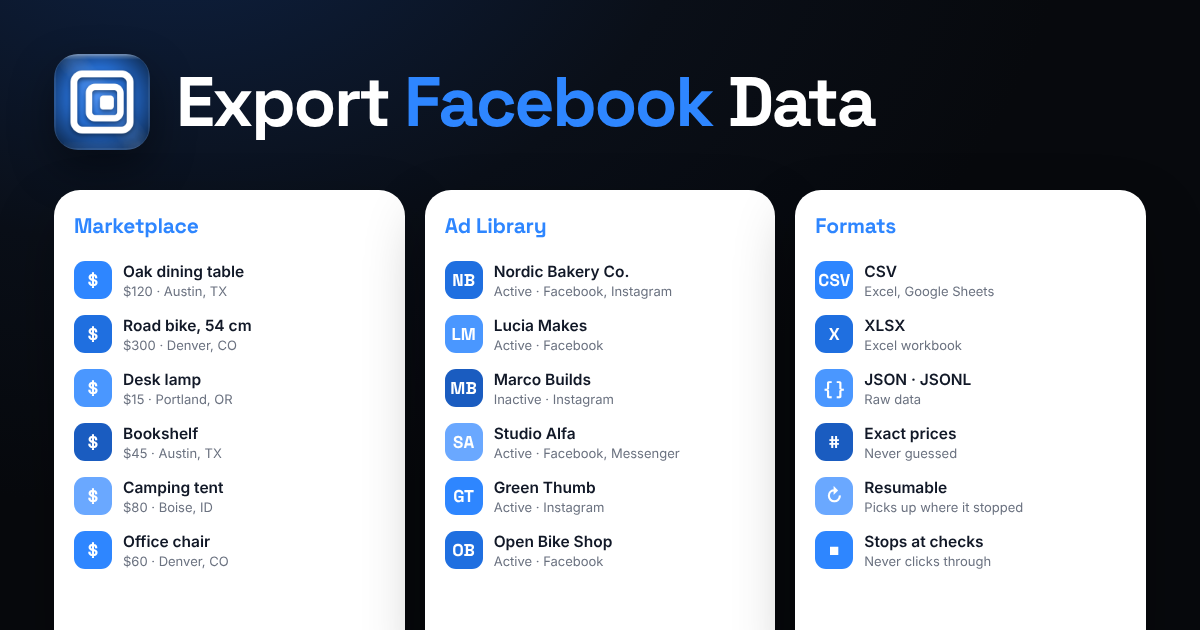
The Meta Ad Library is Meta's own public, free, searchable collection of the ads running on its platforms, including Facebook and Instagram. Search any advertiser or keyword and you see the creative, the copy, the start date and where each ad runs. For ordinary commercial ads it does not show what the advertiser spent or what the ad earned.
The library is built for browsing, not for saving a search as a spreadsheet. Facebook Scraper, the Mastros extension for Facebook, does that part: it exports the results of an Ad Library search, or one advertiser's ads, to CSV or XLSX from the page you have open. Mastros is an independent tool and is not affiliated with Meta.
What is the Meta Ad Library?
It is a transparency tool that Meta publishes itself, at facebook.com/ads/library. It was called the Facebook Ad Library before the company took the name Meta, which is why people search for it under either name. They are the same thing.
The library lists ads that are running across Meta's platforms. Each ad appears as a card with:
- the advertiser's Page
- a Library ID, which identifies that one ad
- the date it started running
- the platforms it runs on
- the creative: the image or video, the headline, the ad copy, the call to action and the link it sends people to
What the library is not is a view into anyone's ad account. It shows the ad. It does not show the numbers behind it.
How do I see a competitor's ads?
Three methods. The first two happen entirely inside the library and cost nothing. The third takes what you found and puts it in a file.
1. Search the library by advertiser name
Use this when you already know whose ads you want.
- Open the Meta Ad Library.
- Choose the country where the ads are shown. An advertiser can run different ads in different countries, so pick the market you care about.
- Choose an ad category. "All ads" covers ordinary commercial advertising.
- Type the company's name in the search box and select its Page from the suggestions. Check the name and picture carefully: similar names are common.
- Read the results. Each card shows the Library ID, the start date, the platforms and the creative. Open an ad's details to look at it more closely.
Best for: one known competitor, a quick look, no tools.
2. Search by keyword and filter
Use this when you do not know the advertisers yet and want to see who is advertising around a topic.
- Open the library and choose the country and the ad category, as above.
- Type a keyword or a phrase, such as a product type, and run it as a keyword search instead of selecting a Page.
- Narrow the results with the filters. The library offers filters such as platform, media type, active status and date.
- Note which advertisers keep appearing. Those are the ones worth opening one at a time with method 1.
Best for: mapping a category, finding advertisers you had not heard of, and collecting examples of how others word an offer.
3. Export the results with the Mastros extension
Scrolling works for ten ads. It stops working when you want to compare a hundred, sort them by start date, or keep a record of what a competitor ran this month.
- Add Facebook Scraper to Chrome from the Chrome Web Store. It asks for no Facebook password.
- Run an Ad Library search with method 1 or 2, or open one advertiser's ads in the library.
- Open the Mastros panel and start the export. You start every run yourself. The extension reads what the page has already loaded, at a pace you can watch.
- Save the file as CSV, XLSX, JSON or JSONL. CSV and XLSX open in Excel and Google Sheets.
- In the spreadsheet, sort by start date to see what has been running longest, or filter the platforms column.
Best for: competitor research across many ads, a dated record you can come back to, and sharing findings with someone who will never open the library.
Which method should I use?
| Method | What you get | Effort | Price |
|---|---|---|---|
| Search by advertiser name | Every ad one Page is running, on screen | A minute | Free |
| Search by keyword and filter | Ads from many advertisers on one topic, on screen | A few minutes, more to read through | Free |
| Copy the ads by hand | Whatever you paste into your own notes | Slow, and easy to get wrong past a handful of ads | Free |
| Export with Mastros | One row per ad in CSV, XLSX, JSON or JSONL | Start the run, save the file | Free during the beta (pricing) |
The methods stack. You always need method 1 or 2 to put the right ads on the page. Method 3 only decides whether they stay on the page or end up in a file.
Can I export Meta Ad Library results?
Yes, with a tool that reads the page. For ordinary commercial ads the library is a place to look, and the data Meta publishes for download is aimed mainly at ads about social issues, elections or politics.
The Mastros export writes one row per ad, with these fields:
- advertiser, Page URL and Page category
- Library ID
- start date
- platforms
- format
- headline and ad copy
- call to action
- destination link
- creative image URL
A few things are worth knowing before you rely on it:
- It runs in your own browser. The export reads the Ad Library page you have open. Exported rows never go to Mastros servers.
- It only reads. It makes no requests to Facebook of its own, and it sends no messages, comments, reactions or follows.
- It stops at a security check. If Facebook shows one, the run stops and tells you. It never clicks through.
- Runs can be resumed. After a pause or a reload it picks up from the last saved row, without duplicates.
- Images and videos are not downloaded. The creative comes out as a URL column, not as files.
- Missing values stay empty. A cell is left blank when the page does not provide the value.
Does the Ad Library show ad spend?
Not for ordinary commercial ads. You will not find the budget, the amount spent, the number of clicks or the sales an ad produced. Those figures live in the advertiser's own account, and nobody outside it can see them.
Ads about social issues, elections or politics are treated differently. They carry extra detail, such as a spend range and who paid for the ad, and they are kept in the library after they stop running. If the advertiser you are researching runs that kind of ad, choose that ad category in the library to see it.
For ads shown in the European Union the library adds some transparency detail, such as how many people an ad reached. It still gives no spend for a commercial ad.
For everything else, the honest reading is narrower. The start date tells you how long an ad has been live. Marketers often treat a long-running ad as a sign that it performs. That may be right, but it is an inference, not a figure Meta gives you, and an export does not add one.
Who this is not for
- People who want to manage their own ad account. Creating, editing and measuring your own campaigns happens in Meta's advertising tools, not in the library and not in Mastros.
- People who want spend and performance figures for someone else's commercial ads. The library does not publish them. A tool that shows such numbers is estimating.
- People who want the image and video files themselves. Mastros exports the creative image URL, not the media.
- People who want Facebook Groups, member lists, personal profiles or Messenger. Mastros for Facebook exports Marketplace listings and Ad Library ads, and nothing from those places.
FAQ
Is the Meta Ad Library free?
Yes. Meta publishes it as a public transparency tool and charges nothing to search it. You do not need an ad account to use it.
Is the Facebook Ad Library the same as the Meta Ad Library?
Yes. It is one tool under two names: the older name comes from before the company was called Meta. The address is still on facebook.com, and the results cover Instagram ads as well as Facebook ads.
Can I see ads that are no longer running?
Use the active status filter to see what the library holds for your search. Ads about social issues, elections or politics are kept after they stop running. For ordinary commercial ads, do not count on an old ad still being there: if you want a record, export it while the ad is live.
Does the export include the ad images and videos?
It includes the creative image URL as a column. It does not download image or video files.
How much does the Mastros export cost?
Nothing during the beta: there is no record limit, and every format is included. The prices that apply once the beta ends are on the pricing page, and the extension announces the change before anything is charged.
Related reading
- Facebook Scraper: the extension used in method 3, including the Marketplace export it also does.
- Pricing: what the Facebook plans cost once the beta ends.
- Open Semicolon CSVs in Excel: what to do when an exported CSV opens in a single column.