



A TikTok scraper pulls structured data (profiles, videos, comments, hashtags, and engagement metrics) from the platform, either through TikTok's own Research API or by reading the web interface directly. Choose the Research API when you qualify for academic or nonprofit access; otherwise, web endpoint requests or in-browser extraction cover most practical needs for visible, public data. The right choice depends on scale, compliance requirements, and how complete your dataset needs to be, which we break down below with code.
TL;DR:
- The Research API provides only about 75% of posts visible in the For You feed and limited metadata, making it unsuitable for complete data collection.
- Web endpoints offer fast, structured data but can break if TikTok updates internal request signatures, requiring ongoing maintenance.
- Browser automation ensures reliable data capture from dynamically loaded content but demands higher computing resources and risks CAPTCHA triggers.
- Scaling scrapers effectively involves rotating proxies, distributing requests over time, and monitoring for silent failures to avoid detection and breakage.
- Small-scale or privacy-sensitive projects benefit from in-browser exports that access only current session data without infrastructure overhead.
Table of Contents
- Exact data fields and output formats produced by TikTok scrapers
- Method trade-offs: Research API, web endpoints, and browser automation
- Practical examples and SDK pointers for building a TikTok scraper
- Scaling, reliability, and anti-bot engineering patterns
- Legal, ToS, and ethics: what you need to know before you scrape
- Why in-browser, privacy-first exports fit some TikTok projects better
- What I'd prioritize if you're starting a TikTok data project today
- A faster way to export TikTok data without building a scraper
- FAQ
- Sources
Exact data fields and output formats produced by TikTok scrapers
A TikTok scraper, at the schema level, returns three kinds of records: profiles, videos, and comments. Each has a predictable set of fields that map cleanly onto a database table or a flat file, which is good news if you're designing an ingestion pipeline from scratch.
Profile records typically include a numeric or string ID, username (the @handle), display name, bio text, follower count, following count, video count, and verification status. Video records carry a video ID, canonical URL, caption text, publish timestamp, view/like/comment/share counts, duration in seconds, the hashtags parsed from the caption, and a music metadata block (track name, artist, sound ID). Comment records include a comment ID, the text body, the commenting author's ID, a timestamp, and a like count for that comment.
For output, you have four practical formats to pick from:
- JSON preserves nested structures (like a video's music object) and works well for ad-hoc analysis or feeding into a document store.
- JSONL (one JSON object per line) is the better choice for large exports because you can stream it, append to it, and process it line by line without loading the whole file into memory.
- CSV is the simplest for spreadsheet work but forces you to flatten nested fields, so a video's hashtags become a comma-joined string or a separate junction table.
- Media files (MP4 for video, MP3 for extracted audio, JPG for thumbnails) get downloaded separately and referenced by the video ID in your metadata record, not embedded in the structured output.
A few schema habits save you pain later. Use the platform's own numeric IDs as your primary keys rather than generating your own, since IDs are stable across re-scrapes and let you dedupe on re-ingestion. Normalize every timestamp to UTC the moment you ingest it, because TikTok's displayed times vary by client locale. And store the source URL alongside every record: when a field looks wrong six months from now, having the original URL means you can go check it by hand instead of guessing.
Method trade-offs: Research API, web endpoints, and browser automation
Three approaches exist for getting data out of TikTok, and each trades completeness against access difficulty in a different way.
The Research API is the officially sanctioned route, but it's gated. Access typically requires a formal application and, for some data categories, use of a platform-controlled compute environment, what researchers call a Virtual Compute Environment or Virtual Data Environment, rather than a straightforward API key you can call from your laptop. This procedural control is by design: TikTok wants vetted researchers working inside bounded, auditable environments, as documented in the access requirements for TikTok's Research API.
Even once you're approved, the Research API doesn't hand you the full picture. An audit of platform research access found that TikTok's Research API exposed roughly 75% of posts visible in the For You feed, with accessible metadata parameters reduced to around 17% of what's visible in a browser, and daily limits near 1,000 requests and 100,000 records.
Statistic callout: TikTok's Research API returns about 75% of For You feed posts and roughly 17% of browser-visible metadata fields, which means even approved researchers work from a filtered, not full, dataset.
Web endpoints, the internal JSON responses TikTok's own web app calls to render pages, are what most unofficial scrapers target. They're fast, they return clean structured data without any HTML parsing, and they scale well when you're pulling thousands of records a day. The catch is maintenance: these endpoints aren't public contracts, so TikTok can change a request signature, a header requirement, or a response shape without notice, and your scraper breaks until you patch it.
Headless browser automation (tools like Playwright or Puppeteer) renders the actual page a human would see, which makes it reliable for capturing dynamically loaded content and media that never appears in a simple JSON call. The cost is resource use. A browser instance eats far more memory and CPU than an HTTP request, and it's also the method most likely to trigger CAPTCHA challenges if you run many sessions in parallel. A comparison of browser automation against direct HTTP approaches is worth reading if you're deciding between the two for a login-gated flow: a common pattern is to use a headless browser only to establish a session, then switch to lightweight HTTP requests for the actual data pulls.
Here's a rough decision matrix for picking between them:
- Small, one-off research project with ethics board approval: apply for the Research API and accept its filtered scope in exchange for legitimacy.
- Ongoing monitoring at moderate scale: web endpoint JSON calls, with a plan to patch signatures when they shift.
- Media-heavy or UI-dependent extraction: headless browser automation, accepting the higher compute cost.
- Ad-hoc, privacy-sensitive, low-volume exports: in-browser extraction from your own signed-in session, which avoids server-side infrastructure entirely.
Practical examples and SDK pointers for building a TikTok scraper
Here's a minimal pattern for fetching JSON data and writing it to a file, in both Node and Python. These are starting points, not production systems, but they show the shape of the problem.
A Node example requesting a hashtag or profile endpoint, with basic error handling:
const fetchData = async (url) => {
  const res = await fetch(url, {
    headers: {
      "User-Agent": "Mozilla/5.0",
      "Accept": "application/json"
    }
  });
  if (!res.ok) {
    throw new Error(`Request failed: ${res.status}`);
  }
  return res.json();
};

fetchData("https://example.com/api/item_list?hashtag=example")
  .then((data) => console.log(JSON.stringify(data, null, 2)))
  .catch((err) => console.error("Fetch error:", err.message));
A Python equivalent using httpx, writing results to JSONL:
import httpx
import json

def fetch_and_save(url, outfile):
    with httpx.Client(headers={"User-Agent": "Mozilla/5.0"}) as client:
        response = client.get(url)
        response.raise_for_status()
        data = response.json()
        with open(outfile, "a") as f:
            f.write(json.dumps(data) + "
")

fetch_and_save("https://example.com/api/item_list?hashtag=example", "output.jsonl")
Node.js and the Python httpx or requests libraries cover the HTTP layer for most scraping scripts; when you need rendered pages instead of raw JSON, Playwright or Puppeteer handle the browser automation layer.
A typical input is a profile URL or a hashtag search query; a typical output record for a single video looks like this:
{
  "video_id": "7123456789012345678",
  "url": "https://www.tiktok.com/@example/video/7123456789012345678",
  "caption": "example caption #tag",
  "timestamp": "2026-01-15T10:30:00Z",
  "views": 15000,
  "likes": 1200,
  "comments": 45,
  "duration_seconds": 32,
  "music": { "track": "Example Track", "artist": "Example Artist" }
}
To get from a script to a working pipeline:
- Define your target set (profiles, hashtags, or search terms) before writing a single line of fetch code.
- Build the ingestion layer first: fetch and parse only, with no transformation logic mixed in.
- Add a normalization step that maps raw fields to your stable schema and handles missing values explicitly.
- Write to an append-only log first, then deduplicate into your final table, so a crash mid-run never costs you data.
- Add retry and backoff logic only after the happy path works end to end.
Pro Tip: Log the raw JSON response before you parse it, even if you discard it later. When a field disappears after a TikTok update, the raw log is the only way to tell if it's your parser or their API that broke.
For teams that don't want to maintain scraping infrastructure, managed platforms exist, and product listings for tools like Apify show how many teams outsource the proxy and retry logic entirely. No-code platforms can be a reasonable shortcut for small volumes, but they still inherit the same fragility: when TikTok changes a response shape, you're waiting on the vendor's fix rather than applying your own.
Scaling, reliability, and anti-bot engineering patterns
Running a scraper reliably at any real volume means treating infrastructure as seriously as the parsing logic. A few patterns separate scrapers that last from ones that die after a week:
- Rotate proxies across a large enough pool that no single IP accumulates enough requests to get flagged, and pair rotation with exponential backoff on errors rather than fixed-interval retries.
- Distribute request scheduling across time rather than firing bursts, since steady, human-paced request rates draw far less attention than rapid-fire bulk pulls.
- Validate every batch against your schema before it hits storage, and dedupe on the stable ID, not on a hash of the full record, since minor field changes shouldn't create duplicate rows.
- Monitor for silent breakage, meaning a scraper that returns 200 responses but empty or malformed fields, which is far more common than an outright failure and much easier to miss.
CAPTCHAs and anti-bot responses are the clearest signal that you've been too aggressive. A business-side overview of anti-scraping defenses explains how detection systems weigh request velocity, header consistency, and behavioral patterns together, not any single signal in isolation. Progressive throttling (slowing down automatically as error rates climb, rather than waiting for a hard block) keeps a scraper running longer than one that only reacts after getting locked out entirely.
Pro Tip: Separate your pipeline into three distinct stages: ingestion, normalization, and storage. When TikTok changes something and your scraper breaks, you'll know immediately which stage to fix instead of debugging the whole chain.
All of this operational overhead is exactly why API-based access, where it's available to you, tends to age better than scraping unofficial endpoints. An API contract rarely changes without notice; a web page's internal JSON structure can change any time TikTok ships a new feature.
Legal, ToS, and ethics: what you need to know before you scrape
TikTok's terms of service restrict automated data collection without approval, and the fact that a profile or video is publicly visible does not remove that restriction. Legal commentary on platform API terms has flagged this gap directly: public visibility and legal permission to bulk-collect are two different things, and guides warning developers about this distinction are worth reading before you build anything at scale.
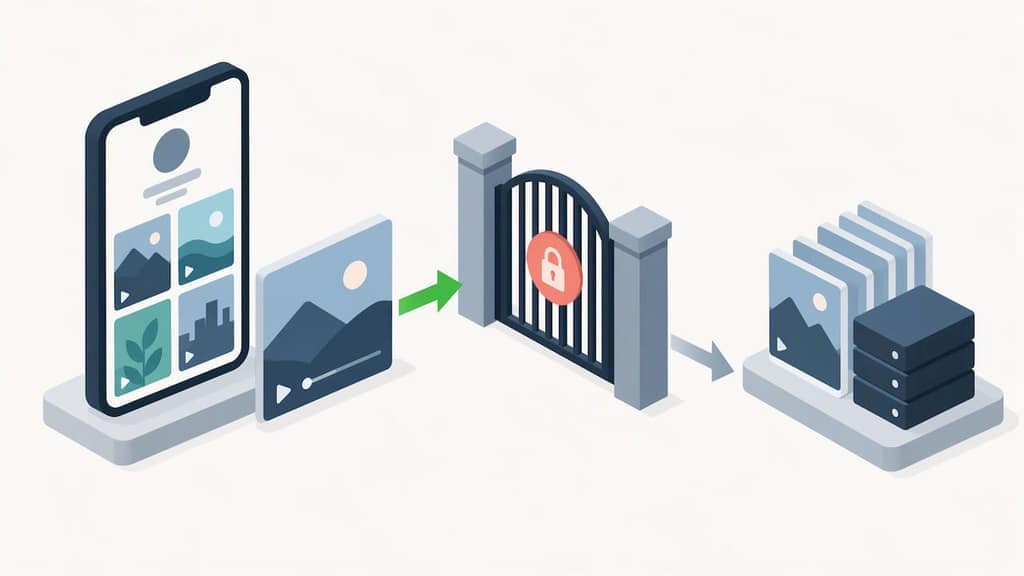
Research API access comes with its own obligations beyond the application process: platform-controlled compute environments for sensitive data categories, strict request ceilings, and often a requirement to refresh or delete data on a schedule tied to the platform's own content moderation actions, as outlined in researcher access requirements.
A short compliance checklist before you scale anything up:
- Avoid collecting data from private accounts entirely, even if a technical workaround exists.
- Minimize what you retain: store only the fields your analysis actually needs, not everything available.
- Document your lawful basis for processing, especially if any data could be considered personal information.
- Get a legal review before moving from a small test run to continuous, large-scale collection.
Our compliance guide for Telegram scraping covers similar principles that apply across platforms, if you want a longer treatment of the legal landscape.
Why in-browser, privacy-first exports fit some TikTok projects better
For a lot of TikTok data projects, especially smaller or privacy-sensitive ones, running infrastructure is overkill. Mastros builds privacy-first Chrome extensions that run entirely in the browser, reading what your own signed-in session already displays and saving it to a file, with nothing uploaded to a server.
That architecture fits certain jobs well:
- Ad-hoc research where you need one export, not a continuous feed.
- Audits and spot checks of a specific creator's engagement history.
- Privacy-conscious teams who'd rather not store API credentials or route data through third-party infrastructure.
- Spreadsheet-first workflows where CSV output goes straight into existing analysis tools.
The trade-off is scope. An in-browser export is bound to your current session and the data visible to you right now, so it's not built for continuous, large-scale programmatic monitoring the way a scheduled API job is. Match the method to the job: test with a small run first, and scale up only once you've confirmed the fields you need actually come through cleanly.
What I'd prioritize if you're starting a TikTok data project today
Start small and auditable. If you qualify for the Research API, apply for it first and accept its filtered scope as the cost of working within sanctioned limits. If you don't qualify, or the project is too small to justify the overhead, browser-based exports handle privacy-sensitive, lower-volume work without the infrastructure burden.
Whatever method you pick, plan for schema drift from day one: TikTok will change something eventually, and your pipeline should notice before your analysis does. Get legal review before scaling past a test run, and log every request your system makes, since that log is what you'll need if anyone ever asks how your dataset was built.
— Elias Mahdavi
A faster way to export TikTok data without building a scraper
If the engineering overhead above sounds like more than your project needs, There are TikTok exporters that provide creator, video, and comment exports plus engagement rates computed from TikTok's real counts, all from inside your browser. There's no API key to request, no server to run, and nothing uploaded anywhere since the extension reads only what your signed-in session already shows you.
That makes it a practical fit for the ad-hoc research, spreadsheet workflows, and privacy-conscious exports described above, without the maintenance burden of watching for endpoint changes. Start on the Free plan and check the TikTok Scraper and Engagement Rate Export page for current export limits and formats, or compare it against other options in our roundup of TikTok scrapers.
FAQ
What is a TikTok scraper?
A TikTok scraper is a tool or script that extracts structured data, such as profile details, video metadata, comments, and engagement counts, from TikTok's public web pages or its Research API. It outputs that data as files (JSON, CSV, or similar) rather than requiring you to copy information by hand.
What is the best TikTok scraper?
The best choice depends on your use case: the Research API is the most defensible option for academic work if you qualify, while web endpoint scripts suit ongoing technical projects and in-browser extensions suit one-off, privacy-sensitive exports. Our comparison of TikTok scraping tools breaks down the trade-offs by scale and compliance need.
Is there a free tool to scrape TikTok comments?
Several browser-based tools and extensions let you export public TikTok comments at no cost, typically limited by export volume rather than feature access. Mastros offers a Free plan for its TikTok exporter, and you can read more about exporting TikTok comments to Excel for a practical walkthrough of the workflow.
Does TikTok pay $1 per 1,000 views?
No, TikTok's Creator Rewards Program does not pay a flat rate per 1,000 raw views; payouts depend on qualified views, which exclude certain view types and vary by factors like region and video length. Reported per-thousand-view rates vary widely across creators, so raw view counts alone won't predict earnings.
Sources
- Auditing Meta and TikTok Research API Data Access under Article 40(12) of the DSA
- TikTok Research API: access constraints and researcher requirements