



Exporting WhatsApp chat data reliably from Chrome extensions without risking privacy or losing format control is more complicated than expected. Most free export tools process data off-device or lack flexible file formats, making privacy and CRM integration harder for community managers and marketers. This article ranks features, privacy handling, and export formats across four alternatives so you can match the best exporter to your workflow or team. The first entry, the Mastros WhatsApp extension, exports group members, contacts and chat messages from WhatsApp Web to CSV, JSON or JSONL.
Here is how the four compare at a glance:
| Product | Key Differentiator | Best For | Pricing | Notable Limitation |
|---|---|---|---|---|
| Mastros | Local data processing for enhanced privacy | Teams needing control and privacy | Free, Pro at $9/month, Scale at $18/month | No native integrations with third-party tools |
| Statfluence | Bulk save and instant chat initiation | Marketers managing and exporting contact lists | Free, Paid plans $9.99–$27.96/month | Works only on Chrome and Whatsapp Web |
| WAExport | Local processing and granular export filters | CRM lead workflows needing precise segmentation | Free tier; Paid tiers unlock export features | Bulk messaging features reported as nonfunctional |
| Wabulk | Privacy-focused browser extension for contact management | Solo users seeking session privacy | Price not published | No analytics or advanced integrations |
The rest of this article walks through each tool in depth.
Table of Contents
Mastros
At a Glance
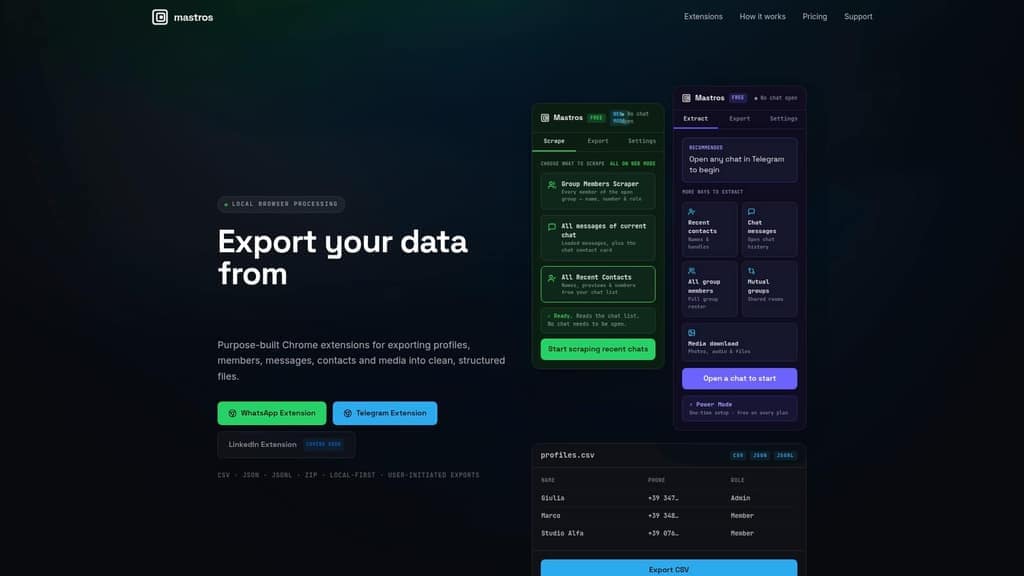
The extensions run entirely in your browser, so your data never leaves your device. Mastros lets you pull group members, messages, and contacts from WhatsApp Web and Telegram Web. Exports arrive as CSV, JSON, JSONL, or ZIP files. The tools show real-time progress and previews while processing data locally.
Core Features
Mastros performs browser-based extraction from messaging web clients and handles contacts, messages, group members, mutual groups, and media. The Telegram extension reads Telegram's own structured data through the session you are already signed into, with no API credentials at all. The WhatsApp extension runs in read-only Web Mode with no API, no automation, and no messaging. Exports and previews appear in real time and download directly from your browser in CSV, JSON, JSONL or ZIP formats.
Key Differentiator
Mastros keeps processing on the client side so exported data never traverses Mastros servers. Local processing reduces external data transfer and places control in your browser. That design targets privacy-conscious teams that need raw message logs and member lists without cloud storage. The vendor frames privacy as a core architectural choice rather than an add-on.
Pros
Client-side processing preserves privacy and removes the need to upload chat data to an external service. You can start without creating an account, which lowers the barrier for quick exports and one-off research tasks. The extensions support multiple extraction modes across WhatsApp and Telegram and provide live progress monitoring so you can stop or refine an export. A free tier exists for basic use, with paid tiers for higher volume needs.
Cons
- No native integrations with third-party analytics or CRM tools are listed, so you must import exported files manually into downstream systems.
Who It's For
Community managers, researchers, and growth marketers who must export messaging data while keeping control of sensitive content will find Mastros useful. Teams that want member lists, chat histories, or bulk media for analysis without cloud ingestion will benefit most. People who need built-in CRM links or automated pipelines may need an extra step.
Unique Value Proposition
The Telegram extension reads Telegram's own structured data through your signed-in session to pull mutual groups, members, messages and bulk media. That lets you scale extraction for large groups with no credentials to hand over in the first place. For analysts, that reduces manual collection time and preserves an audit trail on the device rather than in a vendor backend.
Real World Use Case
A community manager exports the last six months of chat for a high-traffic Telegram group. They download member lists and message CSVs, then import them into a spreadsheet for moderation review and sentiment tagging. All files stay on the manager's machine before upload to internal tools.
Pricing
Mastros offers a Free tier for basic exports. Paid plans include Pro at $9/month and Scale at $18/month for higher export volumes and extended use. The site lists free and paid tiers without trial-length specifics.
Website: https://www.mastros.online
Statfluence
At a Glance
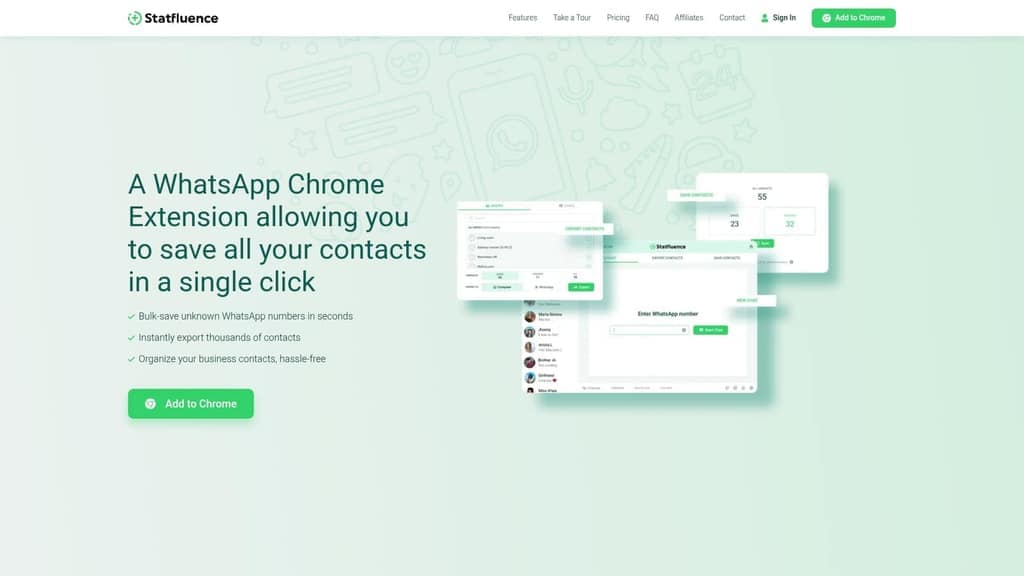
Statfluence lists a free tier and paid plans from $9.99 to $27.96 per month depending on the number of lines subscribed. The extension exports contacts and chats to Excel files and saves unsaved numbers in bulk. Customer support runs 24/7 via WhatsApp, and the vendor advertises quick response times.
Core Features
The extension bulk-saves unknown WhatsApp contacts and offers a one click save for all unsaved numbers. It exports contacts and chat threads to Excel (.xlsx) so you can filter and analyze lists in a spreadsheet. You can also start chats with any WhatsApp registered number without saving it in your address book.
Key Differentiator
Statfluence focuses on rapid contact management inside WhatsApp Web. The extension removes manual entry by letting you bulk-save new numbers and begin chats without adding contacts. That combination targets marketers and influencers who collect dozens of new numbers from groups and status views.
Pros
Statfluence cuts hours from contact cleanup by automating bulk saves and full-list exports, which makes list hygiene fast and repeatable. The Excel export simplifies integration with marketing tools and spreadsheets for segmentation and campaign planning. Instant chat initiation saves time when you need to message a lead without cluttering your address book. The vendor also highlights 24/7 WhatsApp support, which can speed troubleshooting when the extension or WhatsApp Web behaves oddly.
Cons
- No substantive third party reviews are available to validate long term reliability or customer satisfaction.
- The extension works only on Chrome and requires WhatsApp Web, so users on other browsers or native desktop apps cannot use it.
- Core features rely on the current WhatsApp Web interface, which can change and temporarily break exports or bulk saves.
When It May Not Fit
If your team uses multiple browsers or a native WhatsApp desktop client, Statfluence will not integrate with those workflows. If you need an audited export pipeline or server side backups, this browser based tool will not provide that. Large teams that require centralized access control or API driven exports will likely find the extension too limited.
Who It's For
Businesses, community managers, and influencers who collect many new WhatsApp numbers daily will benefit most. People who work primarily inside Chrome and run marketing or outreach from spreadsheets will get immediate value. It suits small teams that need fast contact capture but not enterprise grade automation.
Real World Use Case
An influencer who runs live Q and A session uses Statfluence to save attendees found in group chats and status viewers. They export the contact list to Excel, tag entries for outreach, and start follow up chats without adding each number to their phone. That workflow replaces manual copy paste and saves hours per week.
Pricing
Plans start with a free tier that covers basic features. Paid options range from $9.99 to $27.96 per month based on how many lines you subscribe. The vendor advertises bulk discounts for higher line counts.
Website: https://statfluence.com
WAExport
At a Glance
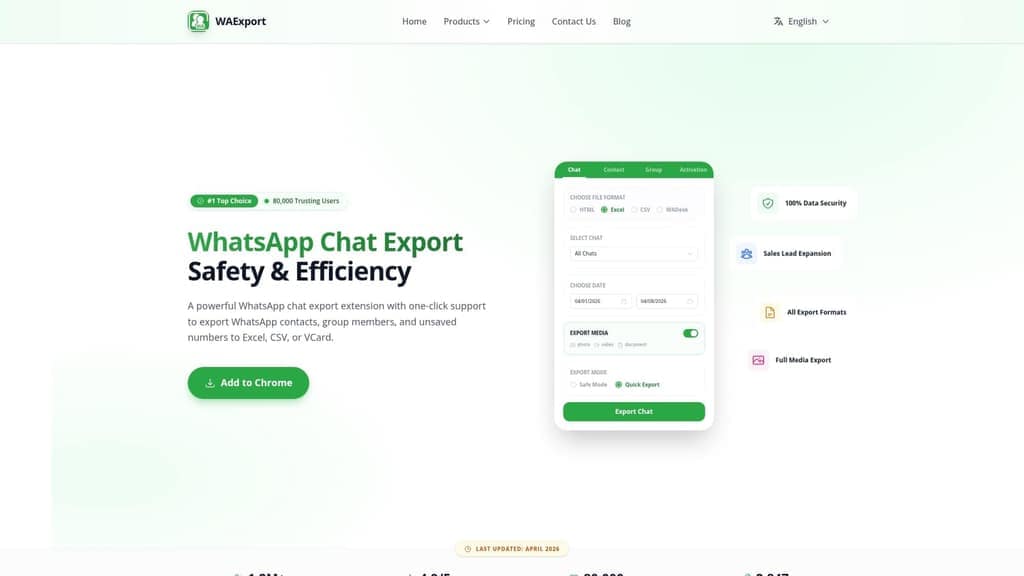
WAExport's marketing materials state it has over 80,000 trusting users. The extension runs in your browser and performs local data processing, so exported files remain on your device. It targets CRM and lead workflows by exporting contacts, group members, chat history, and media into common formats for offline use.
Core Features
WAExport offers one-click export of WhatsApp contacts, group members, and chat history into multiple file types. The tool exports full media, including photos, videos, and documents, while applying smart filters for country, group, and contact status. Local storage and in-browser operation keep processing on your PC or device without moving raw data to remote servers.
Key Differentiator
WAExport centers on private, local exports plus broad format support to feed CRM systems. Its combination of local operation, multiple output formats, and granular filters focuses work toward targeted lead collection. That design suits teams who collect lists from groups and need clean files ready for CRM import.
Pros
The interface is straightforward and reduces friction when you collect leads from multiple groups, which speeds CRM migration. Bulk export of contacts and group members works with built in deduplication and country segmentation. Local processing preserves privacy, and exports include detailed fields such as last message, country code, and business status for each contact.
Cons
- Bulk messaging features are reported nonfunctional by some users, which limits outreach workflows.
- Customer support can be slow or unresponsive, delaying fixes or setup help.
- Mixed user sentiment on reliability means certain features may require manual setup or troubleshooting.
- Some export options need careful configuration to match specific CRM import templates.
When It May Not Fit
If you require built in bulk messaging or an integrated campaign sender, WAExport will not meet that need. Teams that depend on fast vendor support and guaranteed uptime should expect slower response times. If you need an API driven, server based sync, this local, browser focused tool is the wrong architectural fit.
Who It's For
WAExport fits sales teams, marketers, and community managers who gather WhatsApp contacts for CRM and campaigns. You should prefer local control over cloud processing and want export files ready for Excel or VCard workflows. The tool suits users who can handle occasional manual setup for format mapping.
Real World Use Case
A sales team extracts contacts from several product groups, filters unsaved numbers, and exports an Excel file. The team cleans duplicates, maps columns to their CRM, and runs a targeted email campaign while keeping raw chat data local.
Pricing
A free tier covers basic exports with daily limits and lets you test format exports. The Pro tier, advertised as the most popular, removes export limits and unlocks unlimited exports. The Max tier adds full media export, including images and documents, and all subscriptions are offered per month.
Website: https://waexport.wadesk.io/whatsapp-web-chat-export
Wabulk
At a Glance
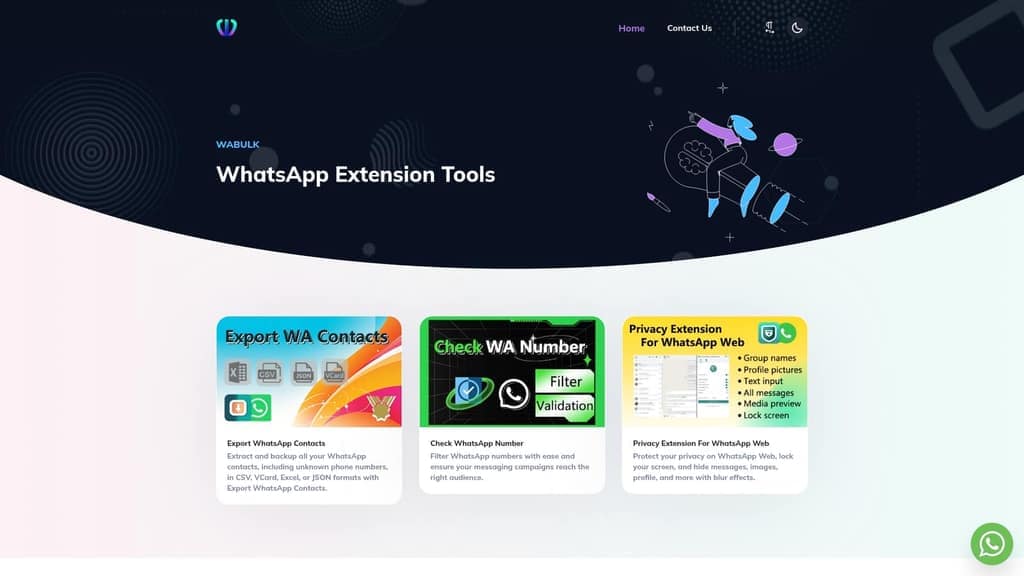
Exports contacts to CSV, VCard, Excel, and JSON directly from WhatsApp Web. The tool also offers a number checker to filter audiences for messaging campaigns. Wabulk documents terms and privacy policies and shows no notable third party reviews.
Core Features
Wabulk focuses on contact export with multiple file formats, letting you move address books into spreadsheets or CRM imports. It includes a number checking tool that flags active WhatsApp numbers to narrow campaign lists. The privacy extension for WhatsApp Web can lock the screen, hide messages and images, hide profiles, and apply blur effects.
Key Differentiator
The product centers on a compact browser extension plus web tools built specifically for WhatsApp contact export, verification, and privacy controls. That narrow focus targets people who only need contact management and session privacy inside the browser. The vendor positions it as a straightforward suite rather than a broad marketing platform.
Pros
Wabulk groups contact export, number verification, and session privacy into a single browser based workflow, which reduces context switching for small teams. Multiple export formats simplify imports into common CRMs and spreadsheets. The privacy features let you hide messages and blur images during live WhatsApp Web sessions. The site publishes detailed terms and a privacy policy that help you judge data handling.
Cons
- Limited advanced features or integrations. This product lacks built in automation, analytics, or connector support for common marketing stacks.
- No noteworthy user reviews or third party assessments available. That absence makes independent validation difficult for larger deployments.
- Could be limited for users needing sophisticated campaign workflows. Companies that rely on scheduled exports or API access will find gaps.
- Documentation focuses on legal and privacy notes rather than developer guides or integration examples.
When It May Not Fit
If you run automated outreach at scale, you will need tools with API access or campaign scheduling. If your team relies on analytics dashboards or CRM connectors, this offering will feel shallow. Lack of independent reviews reduces confidence for enterprise scale rollouts.
Who It's For
This product fits solo users and small teams that manage WhatsApp contacts and need basic verification plus browser session privacy. Use it if you export lists occasionally and prefer a lightweight browser workflow. Avoid it if you require deep integrations or enterprise level validation.
Real World Use Case
A small business owner exports a cleaned contact list to CSV and runs a number check to remove inactive entries before a sale blast. They then enable the privacy extension while handling sensitive customer replies on a shared computer. The process keeps outreach lists tidy and session screens private.
Pricing
Not applicable. Wabulk lists pricing as informational only, and the product page does not show paid tiers or subscription details.
Website: https://wabulk.net
Comparison of alternatives
Recognizing the differing requirements of users engaging in exporting WhatsApp data, we analyzed the available options to identify strengths and tradeoffs for each solution under specific scenarios.
Privacy and security approaches
Mastros is distinct in its privacy-focused architecture. By conducting data processing within the browser and entirely client-side, no exported data passes through external servers, ensuring control and mitigating privacy risks. In contrast, WAExport also employs local data processing but offers less detailed real-time progress updates compared to Mastros. Statfluence and Wabulk, while functional, lack specific claims or implementations designed to assure absolute data confidentiality, particularly for sensitive exports.
Workflow optimization for marketers
Statfluence shines as a preferred tool for marketers managing and interacting with new WhatsApp contacts. Its ability to bulk-save unsaved numbers and initiate chats without contact creation simplifies lead handling tasks, resulting in significant workflow efficiency for marketing teams. Conversely, Mastros supports exporting contact lists but does not include such specialized lead engagement features. WAExport offers versatile export formats, which benefit structured CRM imports but lacks Statfluence's engagement optimization.
Best fit
- Privacy-preserving teams that require sensitive chat export without server-based handling will prefer Mastros for its local processing approach.
- Marketers focusing on rapid contact saving and direct engagement with unsaved numbers will find Statfluence delivers time savings and utility.
- User groups requiring broad lead collection compatible with multiple CRMs and file formats will gain flexibility with WAExport's extensive export options.
- Solo users or small teams needing straightforward contact management alongside session privacy for shared workstations will benefit from Wabulk's lightweight tools.
Our pick
For users prioritizing secure and private data export while maintaining file compatibility, Mastros remains the choice. Its design prioritizes local data processing, preserving user control and minimizing privacy concerns. While individuals desiring advanced engagement features may lean toward Statfluence, Mastros is for those whose workflows emphasize data control and privacy.
Selecting a WhatsApp chat exporter depends on your needs for privacy and export formats. The comparison table at the top of this article puts all four side by side.
How to Extract WhatsApp Chat Data While Protecting Your Privacy
Managing WhatsApp chat exports can get complicated when privacy and data control are top concerns. Many tools require you to upload sensitive messages and contacts to the cloud, which puts your data at risk. Mastros solves this by running entirely within your browser, making sure your data never leaves your device. It offers exports of group members, messages, and recent contacts in reliable formats like CSV and JSON.
Mastros is built for growth marketers, community managers, and researchers who need fast, local exports without risking cloud exposure. Its WhatsApp extension works in safe read-only Web Mode with zero automation or external APIs. To compare features or start exporting locally today, see the WhatsApp chat backup and WhatsApp media downloader pages, or visit Mastros for the full range.
Learn more about safe WhatsApp data export and begin exporting your chat data with confidence.
FAQ
What unique features does Mastros offer for WhatsApp chat exporting?
Mastros provides browser-based extraction from WhatsApp Web, allowing real-time progress monitoring for exports. The tool processes data locally, ensuring that sensitive information never leaves your device, which enhances privacy. Users looking for a secure way to handle chat data will find Mastros particularly effective.
How does Mastros compare to Statfluence for saving WhatsApp contacts?
Statfluence excels in rapid contact management by bulk-saving unknown WhatsApp contacts and exporting them to Excel files. While Statfluence focuses on fast contact capture, Mastros offers more comprehensive local data processing that ensures your exported files remain private and secure, making it the best choice for those seeking in-depth message extraction.
Which platform provides a better option for CRM integration, Mastros or WAExport?
WAExport targets CRM workflows by offering one-click exports of WhatsApp contacts and group members into multiple file types. Although WAExport supports efficient export functions, Mastros stands out for prioritizing privacy and handling data processing locally, appealing more to users concerned about data control.
Can I use Mastros for one-off exports without creating an account?
Yes, you can start using Mastros without creating an account, facilitating quick exports for one-time needs. This feature lowers the barrier for community managers and researchers who need immediate access to messaging data without the hassle of signing up.
What types of file formats does Mastros support for exports?
Mastros supports exports in CSV, JSON, JSONL, and ZIP formats, allowing users to choose the format that best suits their needs. This variety in file formats is particularly beneficial for analysts who may require different data structures for analysis or reporting.