



A Telegram limitation is an enforced functional cap that restricts how you send messages, manage groups, share files, or run bots within the platform. These restrictions are not bugs. They are deliberate design choices that shape how Telegram scales across its massive user base. Understanding them is the difference between running a community smoothly and hitting a wall at the worst possible moment. This article covers every major restriction, from group size caps and file upload ceilings to bot rate limits and regional blocks, plus the practical workarounds that hold up. The Mastros Telegram extension exports group members and chat messages from Telegram Web to CSV, JSON or JSONL.
What are the limits on Telegram group size and administration?
Telegram enforces two distinct group types, and the gap between them matters enormously for community managers.
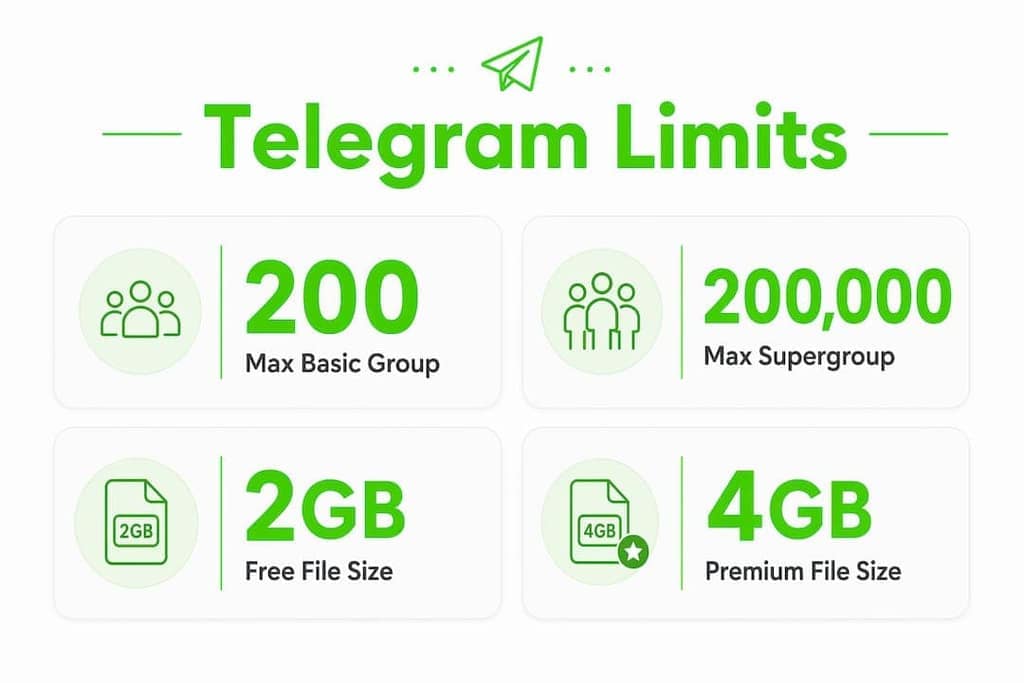
A basic group holds a maximum of 200 members. Once you add member number 201, Telegram automatically and irreversibly converts the group into a supergroup. You cannot undo this conversion, so plan your group structure before you start growing. Supergroups support up to 200,000 members, which makes them the standard format for any serious community.

Admin and bot slots carry their own caps. A supergroup allows a maximum of 50 admins and 20 bots. That sounds generous until you realize that bots consume member slots the same way human participants do. Ten bots in your group means ten fewer seats for real users under the 200,000 ceiling. Community managers who run heavy automation setups often discover this the hard way.
| Feature | Basic group | Supergroup |
|---|---|---|
| Max members | 200 | 200,000 |
| Conversion | Upgrades at 201 members | Irreversible from basic group |
| Max admins | Limited | 50 |
| Max bots | Limited | 20 |
| Message history | Visible to new members | Configurable |
| Channels link | Not available | Available |
For large communities, a hybrid approach works better than a single group. Pair a public channel for broadcasting with a linked supergroup for discussion. This separates your content from your conversation and keeps both clean.
Pro Tip: Before you invite your first bot, count how many you actually need. Every bot you add is a seat you cannot give to a human member.
What file sharing and media limits does Telegram enforce?
Telegram's file sharing restrictions depend on your account tier and how you choose to send the file.
Free users can upload files up to 2GB per file. Telegram Premium users get a 4GB ceiling per file. Neither tier imposes a total storage quota. Files live in Telegram's cloud indefinitely and stay accessible from any device, which is a genuine advantage over platforms that expire attachments after 30 days.
Compression is where most users get caught off guard. When you send a photo or video using the standard media picker, Telegram recompresses it automatically. Sending a video as a "Document" preserves the original quality because it bypasses Telegram's recompression pipeline entirely. The trade-off is that the recipient must download the file before watching it. There is no inline preview for document attachments.
| Account type | Max file size | Compression on media send | Compression on document send |
|---|---|---|---|
| Free | 2GB | Yes (automatic) | No |
| Premium | 4GB | Yes (automatic) | No |
| Storage quota | None | N/A | N/A |
When your file exceeds even the 4GB ceiling, external hosting is the practical fix. Services like HypeShare let you upload files up to 10GB for free without requiring an account, then you share the download link inside your Telegram chat. The experience stays clean for your recipients.
Pro Tip: Always send professional video content as a "Document," not as a video. You keep full resolution, and your audience gets the file exactly as you recorded it.
For community managers sharing bulk media exports or research datasets, understanding Telegram's compression behavior is critical before you build any content distribution workflow.
How do Telegram's messaging and bot activity restrictions affect daily use?
Telegram's rate limit system is progressive. The more you push it, the harder it pushes back.
The bot API enforces roughly 1 message per second per individual chat, 20 messages per minute per group, and 30 messages per second globally across all chats. These limits apply to bots, but the underlying MTProto API that governs user accounts has similar guardrails. Hitting these ceilings triggers a FLOOD_WAIT error, which locks your sending ability for a defined cooldown period.
FLOOD_WAIT and PEER_FLOOD are not the same thing, and confusing them is expensive. FLOOD_WAIT is a manageable rate limit that clears after the specified retry window. PEER_FLOOD signals that Telegram has flagged your account for suspicious behavior, such as mass messaging users who are not in your contacts. PEER_FLOOD triggers a 24–48 hour outbound messaging block and can lead to a permanent ban if you keep sending.
The single most damaging mistake in Telegram automation is retrying immediately after a FLOOD_WAIT error. Premature retries reset and increase the penalty time, turning a 30-second cooldown into a multi-hour block. Professional developers honor the
retry_afterfield in the error response and wait the full duration before sending again.
Here is what responsible bot and automation usage looks like in practice:
- Respect the
retry_aftervalue in every FLOOD_WAIT response. Do not guess the cooldown. - Stop all activity immediately when you receive a PEER_FLOOD error. Do not retry, even after the block clears, until you understand what triggered it.
- Spread bulk messages across time windows rather than sending in bursts.
- Avoid messaging large numbers of non-contacts. This is the fastest path to account flagging.
- Monitor your bot's send rate with logging so you can catch limit approaches before errors occur.
The pattern is clear: Telegram's rate limit system rewards patience and punishes aggression.
What regional and platform-specific limitations impact Telegram usage?
Not every Telegram restriction comes from Telegram itself. Some come from governments and infrastructure providers.
Russia's Roskomnadzor has throttled Telegram speeds and disrupted voice and video calls since early 2026. Users in affected regions experience degraded call quality and slower file downloads even when Telegram's own servers are fully operational. These are "invisible" restrictions because Telegram's status page shows no issues. The problem sits at the network level, not the platform level.
Platform-specific differences add another layer. iOS applies App Store content policies that can restrict certain channel types or bot behaviors that work fine on Android or desktop. The desktop app and Telegram Web generally offer the most permissive experience because they bypass mobile OS restrictions.
Practical approaches for users in restricted regions:
- Switch to Telegram Web or the desktop app when mobile performance degrades.
- Use a VPN with servers outside the restricted region to restore normal speeds.
- Check whether voice and video calls improve on Wi-Fi versus mobile data, since throttling often targets mobile networks specifically.
- For regulatory impacts on Telegram speed and file transfer in specific countries, the pattern of disruption tends to follow political events, so staying informed about local regulations matters.
Regional blocks are outside your control, but your response to them is not. Knowing the source of the problem helps you pick the right fix instead of blaming the app.
Key Takeaways
Telegram's enforced caps on group size, file uploads, messaging rates, and regional access require deliberate planning to avoid disruptions, bans, or data loss.
| Point | Details |
|---|---|
| Group conversion is irreversible | Basic groups upgrade to supergroups at 201 members and cannot revert. |
| Bots consume member slots | Each bot in a supergroup reduces human capacity by one seat under the 200,000 limit. |
| Document mode preserves quality | Send files as "Documents" to bypass Telegram's automatic media compression. |
| PEER_FLOOD means stop immediately | Continuing to send after a PEER_FLOOD error risks a permanent account ban. |
| Regional blocks need network fixes | Government throttling requires VPN or platform switching, not app troubleshooting. |
Telegram limits in practice: what I've learned managing communities at scale
By Elias
The official limits look manageable on paper. In practice, the gaps between what Telegram documents and what actually happens at scale are where things get interesting.
The conversion from basic group to supergroup catches people every time. I've seen community managers build onboarding flows, pinned message sequences, and permission structures around basic group behavior, only to have everything shift the moment they cross 200 members. The irreversibility is not a footnote. It changes how the group handles message history visibility for new members, which affects your welcome experience entirely. Plan for supergroup behavior from day one, even if you start small.
The bot slot issue is genuinely underappreciated. A typical active community might run a welcome bot, a moderation bot, a poll bot, and an analytics bot. That's four slots gone before you've added a single human. At 200,000 members, four bots is noise. At 5,000 members trying to grow, it's worth auditing whether every bot earns its seat.
Rate limits taught me the most. The instinct when you hit a FLOOD_WAIT is to retry quickly. That instinct is wrong and will cost you. I've watched accounts go from a 30-second cooldown to a 6-hour block in a single session because someone kept hammering the API. The retry_after field exists for a reason. Honor it every time.
The regional restriction piece is the one most Western-focused guides skip entirely. If you manage communities with members in Russia, Iran, or other heavily regulated markets, your members are not experiencing the same Telegram you are. Their file downloads are slower, their calls drop more often, and some content simply does not reach them. Factor that into your community design. Don't assume a uniform experience across your member base.
For anyone managing Telegram communities at scale, the limits are not obstacles. They are the architecture you build around.
Elias
Working smarter with Telegram data inside its limits
Telegram's restrictions define what you can do inside the platform. What you do with your community data outside those limits is a separate question entirely.

Mastros builds privacy-first Chrome extensions that export Telegram group members, chat messages, recent contacts, mutual groups, and bulk media directly from Telegram Web. Everything runs in your browser. Your data never touches an external server. For growth marketers and community managers who need clean, structured exports in CSV, JSON, or JSONL, Mastros handles the extraction while honouring Telegram's own rate-limit responses, and requires no API credentials at all. If you're working around Telegram's functional caps and need a cleaner view of your community data, explore Mastros and see what a browser-native export looks like.
FAQ
What is the maximum Telegram group size?
Telegram supergroups support up to 200,000 members. Basic groups cap at 200 members and convert irreversibly to supergroups once that limit is exceeded.
How do I send a video on Telegram without losing quality?
Send the video as a "Document" instead of using the standard video picker. This bypasses Telegram's automatic compression and delivers the file at its original resolution, though the recipient must download it before watching.
What happens if I hit a FLOOD_WAIT error?
A FLOOD_WAIT error means Telegram has temporarily blocked your sending ability due to rate limit violations. Wait the full duration specified in the retry_after field before retrying. Sending again before the cooldown ends increases the penalty time.
What is the Telegram file size limit for free users?
Free users can upload files up to 2GB per file. Telegram Premium users can upload files up to 4GB. Neither tier has a total storage quota, and files are stored indefinitely in Telegram's cloud.
Can regional restrictions affect my Telegram experience?
Yes. Government-level network throttling, such as restrictions enforced by Russia's Roskomnadzor, can slow file downloads and degrade voice and video call quality even when Telegram's own servers are fully operational. Using a VPN or switching to Telegram Web often restores normal performance.