



What does a WhatsApp scraper Chrome extension do?
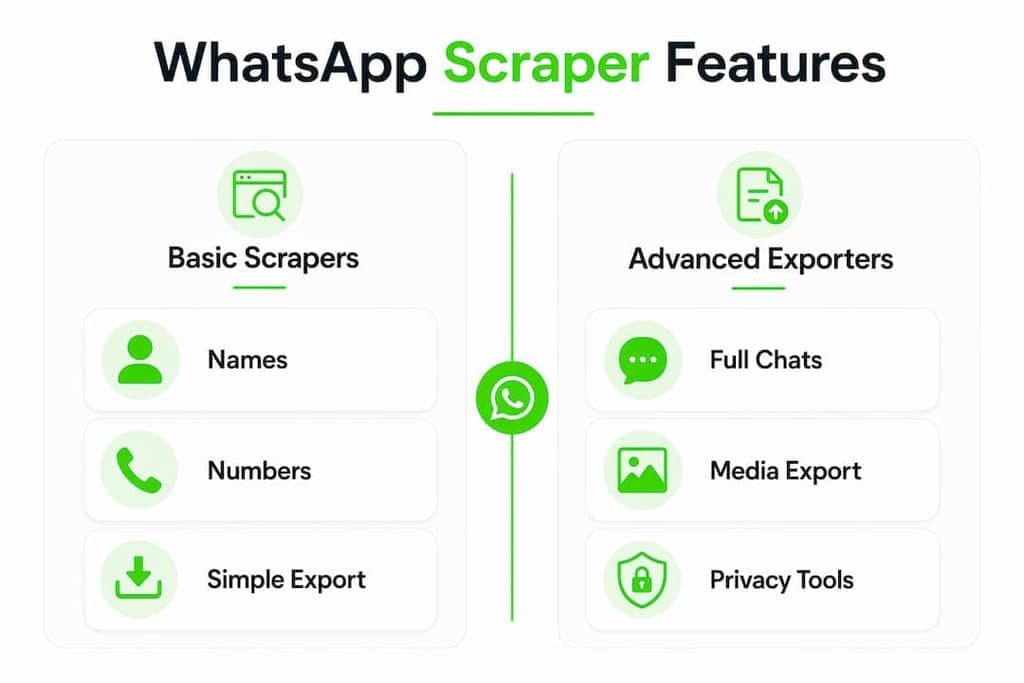
A WhatsApp scraper Chrome extension is a browser add-on that reads data directly from WhatsApp Web and exports it to a file you can use. No coding, no API credentials, no server in the middle. You open a group or chat, click the extension icon, and pull the participant list or conversation history into a CSV, Excel, or JSON file within seconds. The Mastros WhatsApp extension exports group members, contacts and chat messages from WhatsApp Web to CSV, JSON or JSONL.
The core use cases are straightforward:
- Contact gathering: Extract group member names and phone numbers for marketing outreach or event management.
- Chat export: Capture message threads with timestamps for research, compliance, or archiving.
- Data management: Build clean contact lists from WhatsApp groups without manual copy-paste.
These extensions work entirely inside Chrome, reading the WhatsApp Web interface the same way you do, just faster and with an export button.
Key features to look for in a WhatsApp scraper extension
Not all extensions are built the same. The ones worth your time share a few traits:
- Contact extraction: Names, phone numbers, and sometimes bios or usernames from group member lists.
- Chat scraping: Messages with sender info and timestamps, exported in structured format.
- Export formats: CSV and Excel are standard; JSON and JSONL suit developers and analysts.
- Local processing: The best extensions process data locally inside your browser, so nothing touches an external server.
- Simple interface: One-click extraction from WhatsApp Web, no terminal required.
Pro Tip: Before installing any extension, check whether it requests permissions beyond "read the current tab." Broad permissions like "access all websites" are a red flag for extensions that claim to be privacy-first.
How to install a WhatsApp scraper extension on Chrome
Installation takes under two minutes. Here's the exact flow:
- Open the Chrome Web Store and search for your chosen WhatsApp scraper extension.
- Read the permissions list and privacy policy before clicking anything.
- Click Add to Chrome, then confirm by clicking Add extension in the popup.
- Open web.whatsapp.com and scan the QR code with your phone to authenticate.
- Click the puzzle icon in Chrome's toolbar, find your extension, and pin it for quick access.
- Navigate to a WhatsApp group or chat. The extension icon should activate, signaling it's ready.
That's it. You don't need Node.js, Python, or any developer setup.
How to extract and export data step by step
Once installed, the actual scraping process is just as direct:
- Open WhatsApp Web and navigate to the group or chat you want to export.
- Click the pinned extension icon in your Chrome toolbar.
- Select what you want: group members, chat messages, or recent contacts.
- Click Start or Scrape (the label varies by extension).
- Wait for extraction to finish. Large groups take longer; browser memory limits can cause slowdowns on very large histories.
- Download the output file in your preferred format: Excel, CSV, or JSON.
Open the file in Google Sheets, Excel, or any analytics tool and you're ready to work with the data.
Why Mastros is the privacy-first choice for WhatsApp data export

Mastros builds its WhatsApp extension around one principle: your data never leaves your device. Everything runs inside Chrome, with no backend server receiving your contacts or messages.
Here's what the Mastros WhatsApp extension exports:
- Group member names and phone numbers
- Chat messages and recent contacts
- Output in CSV, JSON, or JSONL formats
It operates in read-only Web Mode. No automated messaging, no API calls, no risk of triggering WhatsApp's bot detection. For marketers, community managers, and researchers who need clean data without compliance headaches, that distinction matters. Mastros also maintains active documentation and a blog with practical guides, so you're not left guessing when WhatsApp updates its interface.
What you should know before you start scraping WhatsApp

WhatsApp scraper extensions sit in a gray area. WhatsApp's Terms of Service prohibit automated data collection, and WhatsApp's own FAQ explicitly addresses message scraping tools. That doesn't make all extraction illegal, but it does mean you should scrape only groups you belong to, only data you have a legitimate reason to collect, and never resell or misuse what you export.
Privacy law adds another layer. Depending on your jurisdiction, collecting personal data like phone numbers may trigger GDPR, CCPA, or similar obligations. If you're building a marketing list, get consent before sending anything.
Security risks and how to reduce them
The biggest risk isn't the scraping itself. It's the extension you choose to do it. A poorly built or malicious extension can read far more than WhatsApp data if it has broad permissions.
Reduce your exposure with these practices:
- Install only from the Chrome Web Store, not from third-party ZIP files.
- Prefer extensions that operate entirely in-browser with no external server component.
- Review the permissions list at install time and revoke access when you're done.
- Keep extensions updated. WhatsApp Web frequently changes its DOM structure, and outdated extensions either break or resort to fragile workarounds.
How different extension types compare
| Feature | Basic member scrapers | Full chat exporters | Privacy-first tools (e.g., Mastros) |
|---|---|---|---|
| Group member export | Yes | Yes | Yes |
| Chat message export | No | Yes | Yes |
| Export format | Excel only | CSV, Excel | CSV, JSON, JSONL |
| Local processing | Sometimes | Rarely | Always |
| API required | No | Sometimes | No |
| Automated messaging | No | Sometimes | Never |
Basic member scrapers handle the simplest job: pull names and numbers from a group. Full chat exporters go deeper but often rely on external servers or QR-based session links. Privacy-first tools like Mastros keep everything local and read-only.
Real limitations you'll hit with Chrome-based scrapers
Browser extensions are convenient, but they have a ceiling. Large chat histories can exhaust browser memory, causing timeouts or incomplete exports. For deep historical archives, local backup decryption tools that handle crypt14 and crypt15 database formats are more reliable, though they require technical setup.
The other persistent challenge is interface fragility. WhatsApp Web updates its CSS and DOM structure regularly, and scrapers that rely on DOM selectors break until developers patch them. Extensions built on stable internal Webpack modules hold up better, but even those need active maintenance. Check the extension's update history before committing to it.
How to assess whether an extension is trustworthy
User reviews in the Chrome Web Store give you a starting signal, but they're easy to game. Look past the star rating and read the one and two-star reviews for patterns: broken after an update, permissions creep, data sent to unknown servers.
A more reliable signal is an open-source repository on GitHub. Extensions with public code let you or a developer verify exactly what runs in your browser. Active commit history means the developer is actually responding to WhatsApp's interface changes. An extension that hasn't been updated in six months is likely already broken or soon will be.
Key Takeaways
The most reliable WhatsApp scraper Chrome extensions process data locally in your browser, export to CSV or JSON, and receive regular updates to stay functional after WhatsApp Web interface changes.
| Point | Details |
|---|---|
| Local processing is the baseline | Extensions that keep data in-browser protect your contacts and reduce compliance risk. |
| Export formats matter | CSV and Excel cover most use cases; JSON and JSONL suit developers and CRM imports. |
| Interface fragility is real | WhatsApp Web DOM changes break scrapers regularly; prioritize actively maintained tools. |
| Legal gray area | Scrape only groups you belong to and comply with GDPR or CCPA if collecting personal data. |
| Mastros runs read-only | No automated messaging or API calls means lower risk of account flags or bans. |