



Choose a headless browser for unattended, scalable automation running in CI. Choose a browser extension when the job needs a real, signed-in user session and a human clicking "export" on demand. A headless browser is a UI-less instance of Chromium or Firefox controlled by code; a browser extension is a small program running inside your actual browser, with access to whatever you're logged into. The one wrinkle: Chromium's classic headless mode doesn't load extensions by default, so the two worlds only overlap under experimental flags.
TL;DR:
- Headless browsers are ideal for large-scale, unattended automation but require scripted login setups and are more prone to detection by anti-bot systems.
- Browser extensions inherit logged-in sessions, handle MFA automatically, and are suitable for manual, human-in-the-loop exports from existing sessions.
- Loading extensions in headless mode is limited to experimental, unstable flags, making extensions in headless environments unreliable for production use.
- Playwright is the preferred automation toolkit in 2026 due to cross-browser support and auto-waiting, while Puppeteer suits Chromium-specific tasks and Selenium supports legacy infrastructure.
- Mastros builds extensions that capture data from signed-in sessions easily, bypassing complex scripting and avoiding resource-heavy headless setups for one-off or small-volume exports.
Table of Contents
- Headless Browser vs Extension: A Quick Comparison
- How They Run: Architecture, APIs, and Security Boundaries
- When Should You Use a Headless Browser vs an Extension?
- Can Extensions Run Inside a Headless Browser?
- Playwright, Puppeteer, or Selenium: Picking the Right Tool
- Where Headless Falls Short: Resource Use and Detection
- Where Mastros Fits the In-Session Export Use Case
- The Real Trade-Off Nobody States Plainly
- Export What You Already See, Without Building a Pipeline
- Sources
- FAQ
Headless Browser vs Extension: A Quick Comparison
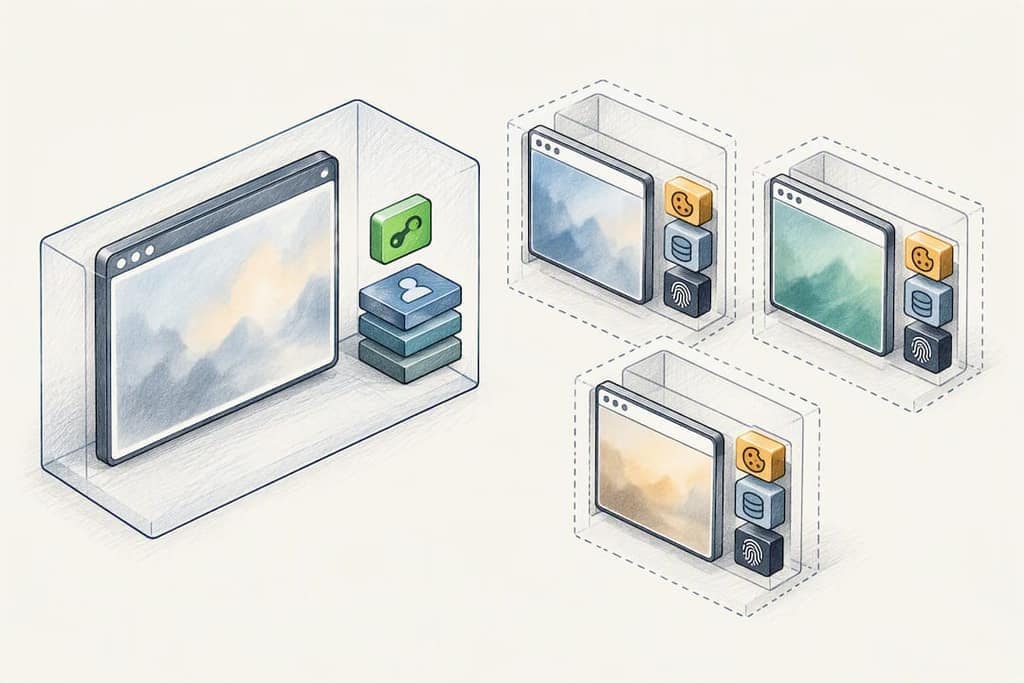
The core split comes down to execution model. A headless browser spins up a fresh, isolated browser process, usually with no cookies, no saved logins, and no history, controlled entirely by a script through the Chrome DevTools Protocol (CDP) or WebDriver. A browser extension runs inside a browser you already opened, in a session where you're already authenticated, with direct access to the DOM you're looking at right now.
That difference cascades into everything else: scheduling, scale, and how each one handles login walls.
Headless browser strengths:
- Runs unattended on a schedule (nightly test suites, cron-triggered scrapes)
- Scales horizontally across dozens or hundreds of parallel contexts
- Starts from a clean slate every run, which makes tests reproducible
Headless browser weaknesses:
- No persistent human session by default, so anything behind a login needs scripted authentication or saved session state
- Easier for anti-bot systems to fingerprint (more on that later)
Extension strengths:
- Inherits your logged-in session instantly, including any multi-factor authentication you already cleared
- Reads exactly what you see on screen, so no fighting login walls or CAPTCHA
- Zero infrastructure. It runs in the browser tab you already have open.
Extension weaknesses:
- Not built for unattended, scheduled, high-volume runs
- Tied to one human's browser and one session at a time
A nightly regression suite that checks 200 pages across three browsers is a headless job. Pulling your own LinkedIn search results or exporting a WhatsApp group's member list from a session you're already logged into is an extension job. Different tools, different jobs, and mixing them up is where most automated browsing tools projects lose time.
How They Run: Architecture, APIs, and Security Boundaries
A headless browser is a real browser binary launched without a rendering window, controlled from outside by CDP (used by Puppeteer and Playwright) or WebDriver (used by Selenium). Each launch gets its own isolated storage, cookie jar, and cache unless you explicitly load a saved session file. Everything the script does, it does as an outside puppeteer pulling strings on a browser that has no idea who you are.
An extension works from the inside. It's built on the WebExtensions API, which gives it content scripts injected directly into the pages you visit, plus a background service worker that persists across tabs. That combination means the extension can read the signed-in DOM, react to page changes in real time, and use browser-level APIs a normal web script can never touch, largely with the same cross-browser compatibility MDN documents for Chromium-based browsers.
That architecture difference explains the practical gaps developers keep running into:
- Cookies and sessions: headless starts empty; extensions inherit the session that's already there.
- Service workers: headless spins up fresh workers per run; extensions share the browser's persistent background context.
- MFA and 2FA: headless has to script around it or import a saved token; extensions never see the prompt again because the session is already past it.
Pro Tip: If your headless script keeps getting bounced by a login wall, don't fight it with more automation. Export a storage state file from a real logged-in session once, then reuse that state on every headless run instead of re-authenticating each time.
When Should You Use a Headless Browser vs an Extension?
Run through this checklist before picking a tool:
- How many runs do you need? One-off or occasional exports point to an extension. Hundreds of runs a day point to headless.
- Does it need to run unattended? If nobody needs to click a button, headless wins by default.
- Do you need a real authenticated session? If the data lives behind a login that's hard to script (social platforms, messaging apps, anything with MFA), an extension already has that session open.
- How exposed is the target to anti-bot defenses? Sites with aggressive bot detection are often easier to work with from inside a real signed-in browser tab than from a scripted headless instance.
- Where does it need to run? A CI server or scheduled job favors headless; a local, human-supervised workflow favors an extension.
A few concrete scenarios shake out fast once you run the checklist. A QA team validating checkout flows on every merge needs headless in CI, full stop. A recruiter pulling LinkedIn search results and Sales Navigator leads from their own logged-in account is squarely an extension case, since the whole point is reading data their own session already displays. A growth marketer exporting a Telegram group's member list once a week doesn't need a scraping pipeline. They need a tool that runs in the tab they already have open.
Can Extensions Run Inside a Headless Browser?
Not by default. Classic headless Chromium was built to run without a UI, and extensions were never part of that design, so a standard --headless launch simply ignores any extension you try to load. That limitation has been tracked and debated in Chromium's own issue tracker for years, with developers repeatedly asking for stable extension support in headless contexts.
There is a workaround, and it's worth understanding rather than treating as a fix. Newer Chromium builds expose an experimental mode, invoked with flags like --headless=new (sometimes labeled --headless=chrome), combined with --load-extension pointing at an unpacked extension folder. This can load an extension into a headless-style session for testing purposes, but the behavior is inconsistent across Chromium versions and it was never meant for production traffic.
If you're testing how an extension behaves rather than trying to force it into an unattended pipeline, better options exist:
- Run headed Chromium in CI behind a virtual framebuffer (like Xvfb on Linux), which gives you a real rendering window without a physical monitor
- Use a cloud browser preview session that renders a real, headed instance you can inspect remotely
- Reserve experimental headless-extension flags strictly for local debugging, never for anything scheduled or customer-facing
Playwright, Puppeteer, or Selenium: Picking the Right Tool
For a new browser automation project starting from scratch in 2026, Playwright is the sensible default. It supports Chromium, Firefox, and WebKit from a single API, and its auto-waiting logic removes a huge amount of the flakiness that plagued older WebDriver-based test suites, where a script would click a button a frame too early and fail for no visible reason.
Puppeteer stays relevant when the target is Chromium-only and you want a lighter, more direct line to the DevTools Protocol without the multi-browser overhead. Selenium remains the right call for teams locked into a legacy language binding, an existing Selenium Grid, or enterprise infrastructure that would cost more to migrate than to maintain, a point Chrome's own headless documentation reinforces when it walks through both Puppeteer and Selenium usage patterns.
A few practical habits keep any of these three sane at scale:
- Lean on built-in auto-waiting instead of hardcoded
sleep()calls - Run tests in parallel browser contexts, not parallel full browser installs, to keep memory sane
- Turn on tracing and live-preview tooling so a failed CI run tells you why, not just that it failed
- Cap parallel session counts in cloud CI runners to control cost before it surprises you at the end of the month
Where Headless Falls Short: Resource Use and Detection
Running many headless Chromium contexts in parallel adds up fast. Community benchmarking from 2026 puts per-context memory overhead in the tens of megabytes, which sounds small until you're running 50 or 100 contexts at once in CI and watching your runner's memory graph climb in a straight line. Past roughly 5 to 10 parallel sessions, most teams move to a managed cloud browser provider rather than scaling their own runners.
Detection is the other constant headache. Headless instances often carry subtle fingerprint differences (unusual navigator properties, WebGL and canvas rendering quirks) that bot-detection systems have gotten good at spotting. Extensions largely sidestep this because they're running inside a genuine browser instance a human actually opened, which is also why they tend to preserve authentication state, including multi-factor logins, far more gracefully than a scripted headless flow trying to replay a session token.
Where Mastros Fits the In-Session Export Use Case
Mastros builds Chrome extensions on exactly this principle: run entirely inside your own signed-in session, touch nothing else. Every export runs in the browser, with nothing uploaded to any server and no API keys or second login required. The Telegram extension pulls group members, chat messages, and mutual groups; the WhatsApp extension exports group members, chat messages, and your contact list; the LinkedIn extension turns profile, company, and Sales Navigator searches into CRM-ready files. That's the authenticated, human-in-the-loop export case a headless script structurally cannot reach without extra scaffolding.
The Real Trade-Off Nobody States Plainly
Most teams don't need to pick one tool forever. A workable pattern is using an extension for one authenticated capture, then feeding that session state into a headless pipeline when the job needs to scale.
— Elias Mahdavi
Export What You Already See, Without Building a Pipeline
If the job is a one-off export from an account you're already logged into, standing up headless infrastructure is overkill. Mastros is the alternative to building a scraping pipeline for that exact case: no CDP scripts, no session-token juggling, no server uploading your contacts anywhere. The Telegram extension bulk-downloads media and exports chat history straight from a chat you can already open, and the WhatsApp extension does the same for group members and conversations, without touching the WhatsApp Business API. For recruiters and lead-gen teams, the LinkedIn Scraper and Sales Navigator Export turns search results into structured files ready for CRM import. Every extension runs on a Free plan to start, with paid plans available for larger export volumes; current prices are listed on the pricing page. Open the Mastros extension library and run your first export from a session you're already signed into.
Sources
- How to use Headless Chrome Extensions for Web Scraping
- Chrome Headless mode | Automation and testing
- Playwright vs Puppeteer vs Selenium 2026: 3 Browsers, 1 Winner | Use Apify
FAQ
What Are the Disadvantages of a Headless Browser?
Headless browsers struggle with anything behind a real authenticated session, since they start with no cookies or saved logins by default. They're also more exposed to bot-detection fingerprinting and get resource-heavy fast, with per-context memory overhead climbing into the tens of megabytes once you run dozens in parallel.
What Is the Main Difference Between a Headless Browser and a Regular Browser?
A regular browser renders a visible window and keeps your logged-in sessions and cookies; a headless browser runs the same rendering engine with no UI, controlled by code through CDP or WebDriver. Headless instances typically launch clean, with no saved authentication unless you import a session file.
Can a Website Detect a Headless Browser?
Yes. Many sites check for telltale signs like unusual navigator properties or inconsistent WebGL and canvas fingerprints that don't match a normal browser session. Extensions largely avoid this problem because they operate inside a genuine, human-opened browser instance rather than a scripted one.
Which Headless Browser Framework Is Considered the Best?
There's no single "best," but Playwright is the common default for new projects in 2026 thanks to cross-browser support and auto-waiting that cuts down flaky tests. Puppeteer fits Chromium-only work, and Selenium still makes sense for teams with existing grid infrastructure.
Do Chrome Extensions Work in Headless Mode?
Not with a standard headless launch. Chromium only supports loading extensions through experimental flags like --headless=new combined with --load-extension, and that setup is explicitly meant for testing, not production automation.