



Pick CSV when a human or a spreadsheet is the end consumer and your data is flat. Pick JSON when the consumer is an API, an application, or anything with nested or typed fields. Pick JSONL (also called NDJSON) when you need to stream records one at a time instead of loading a full file into memory. Converting between shapes always calls for validation on both ends, since a schema mismatch is where most export pipelines break.
TL;DR:
- CSV is best suited for flat, single-table data displayed in spreadsheets or BI tools; JSON is ideal for nested, hierarchical data used in APIs or applications.
- JSONL (NDJSON) streamlines record processing and is preferable when handling large datasets that require incremental or real-time processing.
- Flattening nested JSON into CSV often leads to data loss or inflated file sizes, especially when parent records have many children, making shape validation essential.
- Conversion errors commonly stem from header mismatch, improper escaping, or encoding issues, which can be mitigated through validation steps and sampling tests.
- Validation of source and output, choosing the right tool for data shape, and attaching appropriate metadata are key to reliable data export, regardless of format.
Table of Contents
- Which format fits your job right now
- CSV and JSON compared on structure, size, and streaming
- Where CSV and JSON conversions go wrong
- A conversion workflow that catches problems early
- A five-question checklist before you export
- How Mastros handles this in practice
- What the format debate gets wrong
- Export platform data without writing a line of code
- Where to check the format rules yourself
- Sources
- FAQ
Which format fits your job right now
Most format decisions come down to who or what opens the file next. Run through these before you write a line of export code:
- If the file lands in Excel, Google Sheets, or a BI tool like Tableau, export CSV. Flat rows and columns are exactly what those tools expect.
- If the file feeds a REST or GraphQL API, or gets parsed by application code, export JSON. You keep types and nested structures intact.
- If you're logging events, training a machine learning model, or need to append records without rewriting the whole file, use JSONL or NDJSON.
- If none of that settles it, check what your downstream tool actually parses by default. Most database import tools, for instance, will tell you their preferred shape in the documentation.
This isn't a rule you need to memorize so much as a habit: ask "what reads this next?" before you ask "what format is better?" The two questions have different answers depending on the job.
CSV and JSON compared on structure, size, and streaming
The technical differences matter more once you're past the simple cases. RFC 8259 defines JSON as a format with real types (numbers, booleans, null) and native support for nested objects and arrays. RFC 4180 describes CSV as flat rows of text, with an optional header line and no built-in way to express hierarchy. That single difference, nesting, decides more format choices than any other factor.
| Dimension | CSV | JSON |
|---|---|---|
| Structure | Flat rows and columns | Hierarchical objects and arrays |
| Type support | Strings by convention | Native number, boolean, null, string |
| Nesting | Requires denormalization or multiple files | Native support |
| Spreadsheet support | Direct, no conversion needed | Requires flattening first |
| API and web use | Uncommon as a payload format | Native format for REST and GraphQL |
| File size (uncompressed) | Smaller for flat data | Larger due to repeated keys |
| Schema and validation | No universal standard | JSON Schema available |
| Streaming | Line-based, but not standardized | JSONL/NDJSON or RFC 7464 sequences |
Practical measurements show that flat CSV files tend to be noticeably smaller than the equivalent JSON, since JSON repeats field names on every record. Real-world comparisons also show that gzip narrows that gap significantly, often down to 10 to 20%, because compression handles repeated keys well. That changes the calculation for anyone shipping compressed exports over a network: the size argument for CSV weakens considerably once compression enters the picture.
Nested JSON can actually beat a flattened CSV on size in one common case: when a parent record has many child records. Flattening forces you to repeat every parent field on every child row, which inflates the CSV. A nested JSON structure stores the parent fields once. If you're exporting, say, companies with multiple contacts each, the JSON version may end up smaller once you account for that repetition, even before compression.
For streaming or incremental processing, neither plain CSV nor plain JSON is built for the job. RFC 7464 documents JSON text sequences for exactly this case, and JSONL (one JSON object per line) has become the practical standard for logs, ML training sets, and any pipeline that processes records one at a time instead of loading a full array into memory.
Where CSV and JSON conversions go wrong
Most conversion failures aren't exotic. They're the same five mistakes, over and over:
- Header inconsistency: when source records have different keys, flattening to CSV produces ragged columns or missing fields.
- CSV escaping: commas, newlines, and quote characters inside a field need proper escaping, and unescaped fields can trigger CSV injection risks when opened in spreadsheet software.
- Type ambiguity: CSV can't distinguish an empty string, a null, and a zero. All three often look identical once written to a text file.
- Lossy flattening: a nested array with three items either repeats the parent row three times or silently drops two of them, depending on how the conversion script handles it.
- Encoding and line-ending mismatches: a file saved with Windows line endings and opened on a system expecting Unix-style breaks can scramble row boundaries entirely.
Pro Tip: Run a row count check immediately after any CSV export. If it doesn't match your source record count, you likely lost data in the flattening step, not the write step.
A conversion workflow that catches problems early
Converting between CSV and JSON works best as a five-step check, not a single script run:
- Validate the source first. Lint the JSON for well-formed syntax, or check that every CSV row has the same column count as the header.
- Pick the right tool for the shape. A pandas one-liner (
read_csv().to_json()orread_json().to_csv()) handles flat data fine. For nested structures, the standard library'scsvandjsonmodules give you more control over how nesting gets flattened. Switch to JSONL when the output needs to stream or append. - Validate the output against a contract. JSON Schema is the standard vocabulary for this on the JSON side. CSV has no equivalent standard, so a lightweight contract, just a column list and expected types, does the same job.
- Sample-test before running the full set. Convert a representative slice, then diff individual records against the source rather than eyeballing the output file.
- Deliver with the right metadata. Set a correct content type and charset, note whether the file is compressed, and attach a schema file when the consumer can use one.
One line-oriented JSON approach, JSONL, is documented in RFC 7464 as a way to process JSON incrementally rather than parsing an entire array into memory at once. That matters most at step 2, when you're choosing a tool for a dataset too large to hold in memory comfortably.
A five-question checklist before you export
Run through these five questions before you commit to a format:
- Who opens the file first: a person in a spreadsheet, or a program reading structured data?
- Is the underlying data flat, or does it have parent-child relationships?
- Do types matter, meaning do you need real booleans, nulls, or values like leading zeros preserved exactly?
- Will this file be streamed or appended to, or is it a single one-time payload?
- Does the receiving system expect a machine-readable schema attached?
| Question | CSV fits when | JSON fits when |
|---|---|---|
| Consumer | Human, spreadsheet, BI tool | API, application code |
| Data shape | Flat, single table | Nested, hierarchical |
| Type sensitivity | Low, strings acceptable | High, needs real types |
| Delivery pattern | Single batch file | Streaming (as JSONL) or single payload |
| Schema needs | Informal column list | JSON Schema contract |
How Mastros handles this in practice
Mastros extensions export CSV by default for anything destined for a spreadsheet, like Telegram group member lists or LinkedIn search results, and offer JSON or JSONL when the data has real nesting or when a customer is feeding results into their own code. A Telegram export to JSON preserves message metadata that a flat CSV would otherwise have to repeat across rows. Every export runs in the browser, so format choice never has to account for what happens to the data on a server, because nothing leaves the machine. Our Telegram CSV export guide and LinkedIn export formats breakdown walk through both directions in more detail.
What the format debate gets wrong
The CSV versus JSON argument usually gets framed as a technology preference, as if one format is simply better engineered than the other. That framing misses the point. CSV and JSON solve different problems, and the format debate becomes a distraction from the actual failure mode: teams pick a format based on habit, then spend hours writing brittle conversion scripts to force their data into a shape it was never structured for.
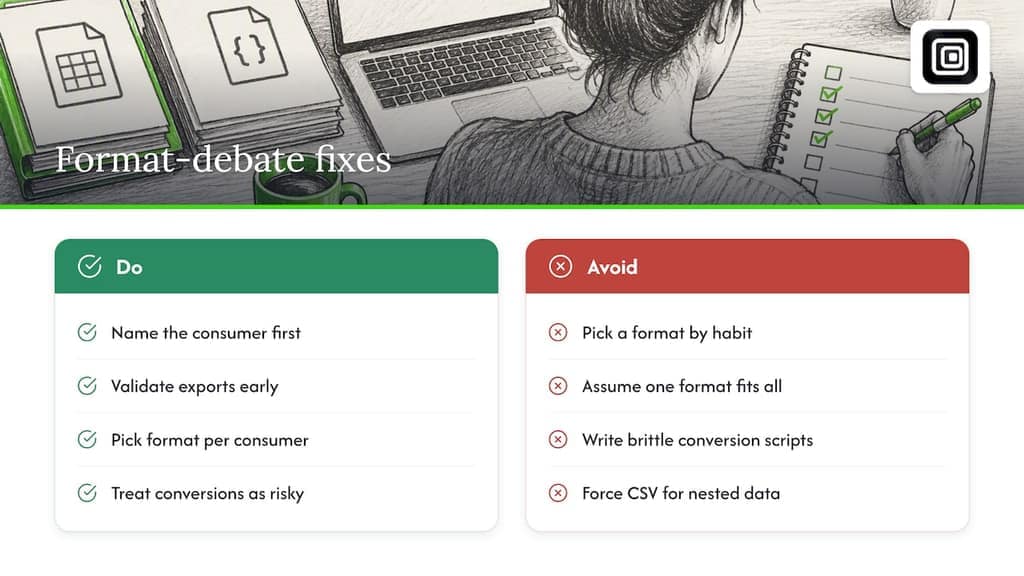
The conventional advice, "use JSON because it's more modern," undersells how well CSV still works for genuinely flat data, and how much smaller it stays even after JSON narrows the gap with compression. The opposite advice, "just use CSV, it's simpler," ignores that simplicity disappears the moment your data has a single nested relationship, at which point CSV forces you into either data loss or spreadsheet gymnastics.
What actually matters is naming your consumer before you write any export code. A spreadsheet, an API, and a streaming pipeline have three different correct answers, and no format is right for all three. Validate early, pick based on the consumer, and treat the conversion step as a place where bugs hide, not a formality.
— Elias Mahdavi
Export platform data without writing a line of code
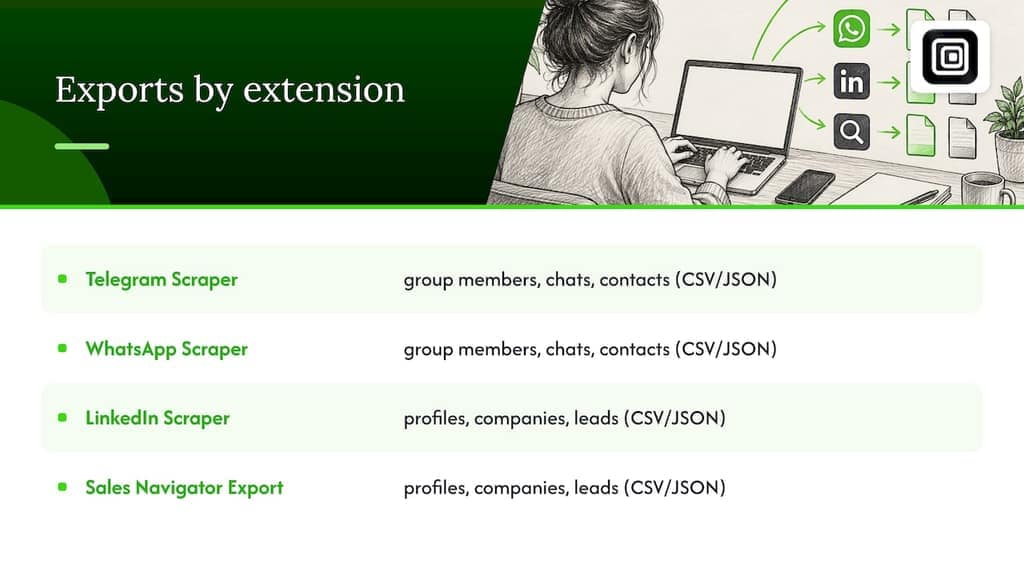
If you need Telegram, WhatsApp, or LinkedIn data out as CSV or JSON, Mastros extensions do the export for you, directly from the browser tab you already have open. No API keys, no server uploads, no second login: the extension reads what your signed-in session already displays and writes it to a file in the format your next tool expects.
The Telegram Scraper and WhatsApp Scraper export group members, chat messages, and contacts as CSV or JSON, and the LinkedIn Scraper and Sales Navigator Export turns profile, company, and lead search results into structured files ready for CRM import. Run the checklist above against your own export, then try Mastros free at Mastros and see which format actually fits before you commit to a paid plan.
Where to check the format rules yourself
For the exact specifications behind this guide: RFC 8259 for JSON, RFC 4180 for CSV, and RFC 7464 for JSON text sequences. See also our JSONL vs JSON guide for streaming specifics.
Sources
- RFC 8259 — The JavaScript Object Notation (JSON) Data Interchange Format
- CSV vs JSON: Structure, Size, and When to Use Each | JSON Dev Tools Blog
- RFC 7464 — JSON Text Sequences
FAQ
Why use JSON instead of CSV?
JSON supports nested objects, arrays, and real data types like booleans and null values, none of which CSV can represent natively. Choose JSON when your data has hierarchy or when the consumer is an API or application code rather than a spreadsheet, as RFC 8259 defines.
What are the disadvantages of CSV?
CSV has no native way to express nested or hierarchical data, so anything beyond flat rows requires denormalizing into repeated fields or splitting into multiple files. It also lacks real type support, meaning numbers, booleans, and null values all get written as plain text, which creates ambiguity for anyone reading the file downstream.
Can a JSON be converted to CSV?
Yes, though flat JSON converts cleanly while nested JSON requires a flattening step that either repeats parent fields across child rows or drops some nested data, depending on the tool. Common approaches include pandas one-liners or the standard library's csv and json modules, both of which handle straightforward conversions well.
What is CSV and JSON?
CSV (comma-separated values) is a flat, row-and-column text format commonly following the conventions in RFC 4180, built for spreadsheets and tabular data. JSON (JavaScript Object Notation) is a hierarchical format defined in RFC 8259 that supports nested structures and typed values, and is the standard payload format for most modern APIs.