


Managing chat exports for archiving, analysis, or outreach often turns into a manual, error-prone process. Many tools force uploads to third-party servers or lock bulk exports and multi-format options behind paid features or technical setup. This comparison highlights cost, automation, privacy, and platform support so researchers, analysts, managers, and marketing teams can match a tool to their workflows.
Table of Contents
- Mastros Data Export Tools
- WassupBot
- Statfluence
- Telechurn
- ChatShell Export Extension
- CRMChat
- Comparison of alternatives
- Comparison of alternatives
Mastros Data Export Tools
Mastros covers the chat side of this list directly: the Telegram chat export tool for members and message history, and the WhatsApp chat exporter for WhatsApp Web.

At a Glance
All exports run entirely inside your browser, so your chat data never leaves your device. Mastros ships two Chrome extensions that operate on Telegram Web and WhatsApp Web. Exports include members, messages, recent contacts, mutual groups, and bulk media into CSV, JSON, or JSONL files.
Core Features
Mastros uses a local first architecture so scraping and file generation happen on your machine. Purpose built scrapers extract members, messages, contacts, mutual groups, and media, and export into CSV, JSON, JSONL formats. Exports handle large datasets and long conversations and remain user initiated to preserve control and privacy.
Key Differentiator
Exports are processed entirely within the user's browser without transmitting data to any external servers, ensuring privacy and control. That local processing removes a common compliance headache when you handle member lists or private chats. For teams that must keep raw chat archives off third party infrastructure, this behavior shifts where risk sits.
Pros
Because all processing happens locally, Mastros keeps data on the device rather than passing it through external servers. The extensions support bulk media downloads and large dataset extraction, which helps when you export months of messages or thousands of members. Installation and use occur inside the browser, read-only, and exports land in standard formats analysts can open in spreadsheets or import into ETL pipelines.
Cons
- Requires manual operation for each export since there is no API or automation for scheduled or continuous extraction.
Who It's For
Researchers, analysts, community operators, and social media managers who need local, secure exports of Telegram and WhatsApp conversations and contacts will benefit most. The tools suit teams that perform one off or ad hoc exports for analysis, archiving, or CRM cleanup. They are not ideal for users who require fully automated, scheduled extraction.
Unique Value Proposition
Purpose built scrapers for members, messages, contacts, mutual groups, and media let you target exactly the fields you need. That targeting reduces post export cleanup and lowers analyst time to first insight because files follow predictable CSV or JSON structures. Keeping processing local also reduces the need to provision third party storage or share raw member lists with vendors.
Real World Use Case
A community manager exports member and message data from a high activity Telegram group for monthly growth reporting. They download media in bulk and export member fields to CSV for segmentation and CRM import. Everything processes in the browser so the organization retains the raw archive on its machines rather than uploading it to a cloud service.
Website: https://www.mastros.online
WassupBot
At a Glance
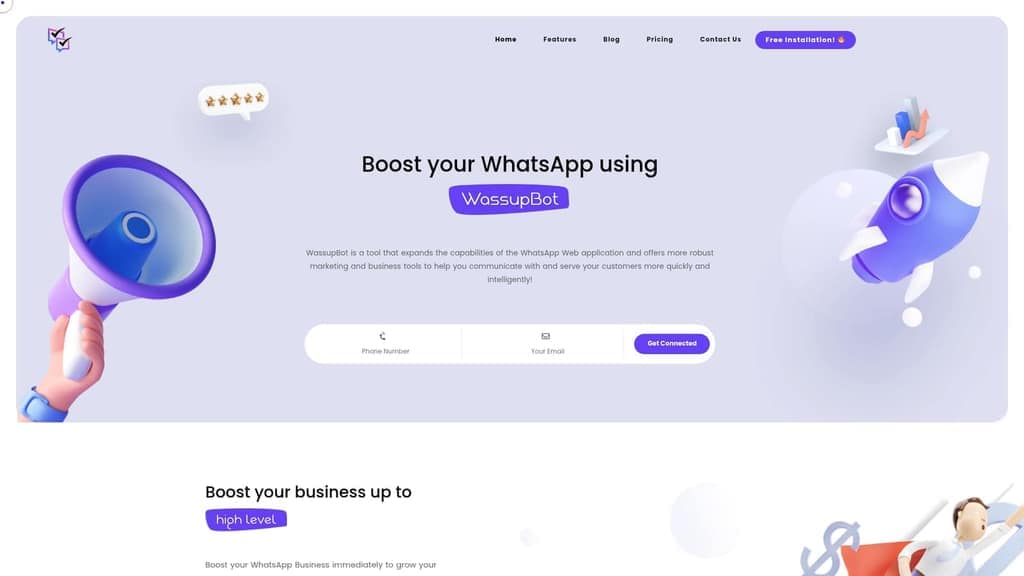
Starting at ₹549 per month in India or $7.99 for international users, WassupBot layers automation and privacy controls onto WhatsApp Web. The extension focuses on marketing and customer service workflows inside the browser. It supports bulk messaging with attachments, contact exports by label, and visibility controls like hiding online and read status.
Core Features
The extension combines AutoReply and ChatBot modules with bulk messaging, scheduled sends, and attachment support. It lets you export contacts by category and label to organize outreach lists for campaigns. Privacy controls hide online presence, blue ticks, typing, and recording status, so agents can work without appearing active.
Key Differentiator
WassupBot operates entirely through WhatsApp Web rather than the official API. That approach gives marketers and small teams feature access without API credentials or server infrastructure. It fits buyers who prefer a browser tool for message automation and contact management instead of an API integration.
Pros
Powerful automation covers scheduled bulk messaging and attachments, which reduces manual sending for marketing teams. Privacy tools hide online status and read receipts to protect conversations during outreach. The interface offers one-click actions, and the vendor positions pricing for smaller teams who need affordable monthly plans.
Cons
- Using third-party automation carries a risk of a WhatsApp ban if bulk messaging is not managed cautiously.
- No official API integration limits scalability and makes CRM integration more complex for enterprise workflows.
- The feature set can overwhelm users who lack experience with automation and contact segmentation.
When It May Not Fit
Organizations that require the official WhatsApp Business API will find the browser approach limiting. Large campaigns that demand server side reliability and CRM-native integrations will hit scaling and compliance constraints. Teams focused on enterprise security controls and audit trails should look at API based vendors instead.
Who It's For
Small and medium businesses, marketing teams, and solo entrepreneurs who run outreach from WhatsApp Web will get the most value. Customer support agents handling repetitive requests can use AutoReply and ChatBot to cut response time. Local retailers and teams that want a browser solution rather than an API setup will find the fit practical.
Real World Use Case
A local retail shop uses WassupBot to send personalized promotional messages and manage group customer discussions. The shop exports labeled contact lists to target specific segments before sales events. Automated replies handle common questions, freeing staff to serve walk in customers.
Pricing
Pricing starts at ₹549 per month in India or $7.99 for international users. Plans are available monthly, half year, and yearly to reduce the per month cost on longer commitments. Exact features and limits for each plan are listed on the vendor site.
Website: https://wassupbot.com
Statfluence
At a Glance
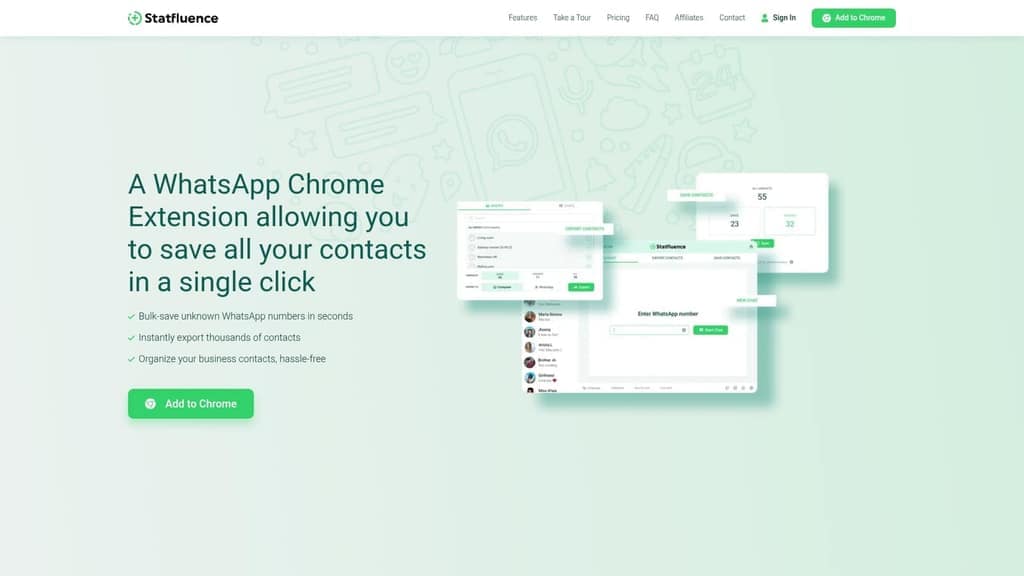
Bulk-saving unknown WhatsApp contacts in seconds removes manual entry and speeds outreach. It acts as a lightweight chat export tool for WhatsApp contact lists, exporting contacts into Excel files. According to the company, support is available 24/7 via WhatsApp with quick response times.
Core Features
Statfluence can bulk-save unknown WhatsApp contacts and export thousands of contacts to a spreadsheet, so you can move lists into Excel for analysis. The extension also lets you chat directly with any WhatsApp-registered number without first saving it, and it can export contacts from group chats or individual threads. These features focus on contact capture and basic list organization rather than CRM workflows.
Key Differentiator
The standout capability is the combination of instant bulk-saving and direct messaging without manual contact entry. That pairing removes the two-step save-then-message friction that slows outreach at scale. For influencers and small teams, this shortens campaign setup from hours to minutes.
Pros
The extension is very easy to use and cuts repetitive work when you pull large contact lists from WhatsApp Web. It saves time by exporting directly to spreadsheets and by letting you message unsaved numbers immediately. The vendor advertises affordable packages that scale by number count, and customer feedback highlights speed and simplicity alongside fast support responses.
Cons
Limited scope: focused only on WhatsApp contact management, not a customer relationship management system.
Requires WhatsApp Web and a compatible browser, so you need an online session to run exports.
Not suited for workflows that need two-way sync with an external CRM or automated messaging sequences.
When It May Not Fit
If your workflow requires cross-channel contact management the extension will feel narrow. Teams that need CRM sync, contact enrichment, or automated campaign sending will outgrow its export-and-analyze approach. Organizations that must run headless exports or server-side processes cannot use the browser-bound Web interface.
Who It's For
This tool fits WhatsApp users who run marketing or community outreach from groups and chats. Influencers, solo marketers, and small business owners who collect many numbers in groups will gain the most. It suits people who prefer spreadsheet workflows over full CRM tooling.
Real World Use Case
A digital marketer exports thousands of numbers from event and niche group chats into Excel to build segmented lists. They then message unsaved contacts directly from the Web session to promote a limited-time offer. The process turns manual copying into a few clicks and a short follow-up sequence.
Pricing
The vendor advertises a free plan plus paid packages starting at $9.99/month per number, with lower per-number costs as you add more numbers. Pricing is tiered by the number of phone numbers you manage and scales down the unit cost for larger bundles.
Website: https://statfluence.com
Telechurn
At a Glance
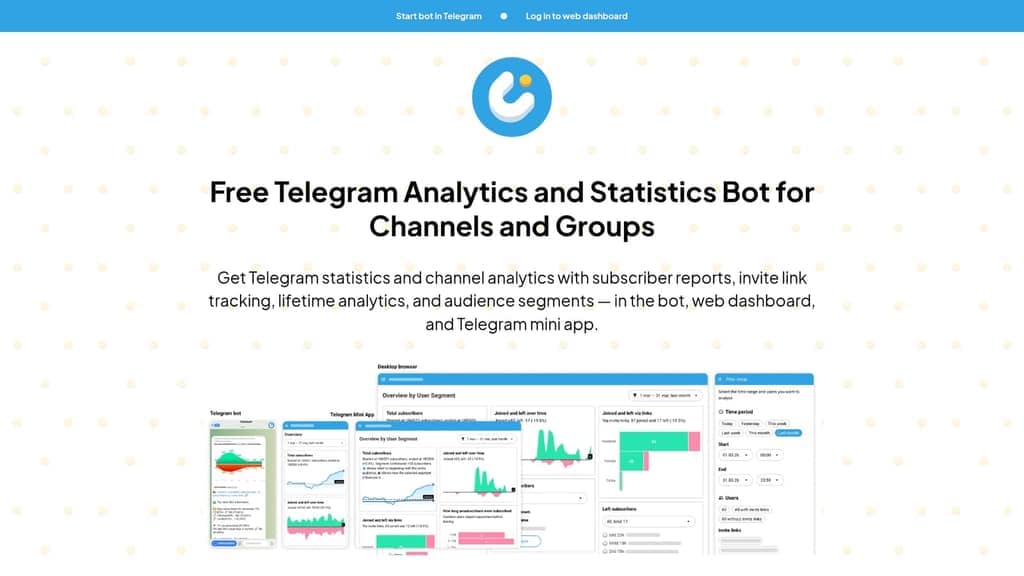
Automated daily subscriber reports appear inside the bot, the web dashboard, and the Telegram mini app. Telechurn ties those reports to invite link source tracking and audience segmentation. That combination makes it fast to spot where new members arrive and which segments lose engagement.
Core Features
Telechurn delivers daily subscriber reports, invite link source analysis, and subscription duration tracking across channels and groups. The dashboard supports growth comparison over time and multiple invite link segmentations, and the mini app shows activity metrics in the Telegram interface. You can export subscriber data for personal analysis to run custom queries or merge with other research files.
Key Differentiator
The tool focuses on automated daily reports plus fine-grained activity segmentation for both channels and groups. That pairing keeps member trends visible without leaving Telegram and reduces the manual work of pulling export files each day. The emphasis on invite link attribution helps you link campaigns to actual subscriber sources.
Pros
Telechurn provides comprehensive, near real time analytics inside Telegram and on the web, which shortens the feedback loop for content pacing and promotion. Automated daily reports cut the routine of checking raw messages and let admins act on churn signals faster. The free basic plan makes it low risk to try, while support for channels and supergroups means the same workflow works for small communities and growing broadcasts.
Cons
- Advanced features sit behind a paid plan at €8/mo. This raises costs for teams that need deeper historical analysis.
- The free tier stores only seven days of historical data. That limit forces exports if you need long term records.
- Telechurn requires admin permissions in the channel or group. You cannot get analytics without granting those rights.
- Data privacy depends on how admins handle exported or shared reports. Sensitive member details require careful storage and access control.
When It May Not Fit
If you need multimonth historical archives out of the box, the free tier will not meet that need. Teams that cannot grant admin rights will be unable to use the bot. Organizations that require audit grade data controls may find the export and storage workflow inadequate without additional tooling.
Who It's For
Channel and group admins who manage content calendars, invite campaigns, or member onboarding will benefit most. Community managers who run invite link promotions and want to attribute growth will find the link analysis useful. Content creators who prefer quick, in-app reporting over external dashboards will appreciate the Telegram mini app view.
Real World Use Case
A community manager watches the daily reports to spot a drop in new members from one invite link. They export the affected segment and compare engagement across two weeks to decide which welcome message to change. The manager then tests a new link placement and uses the next daily report to verify the impact.
Website: https://telechurn.com
ChatShell Export Extension
At a Glance
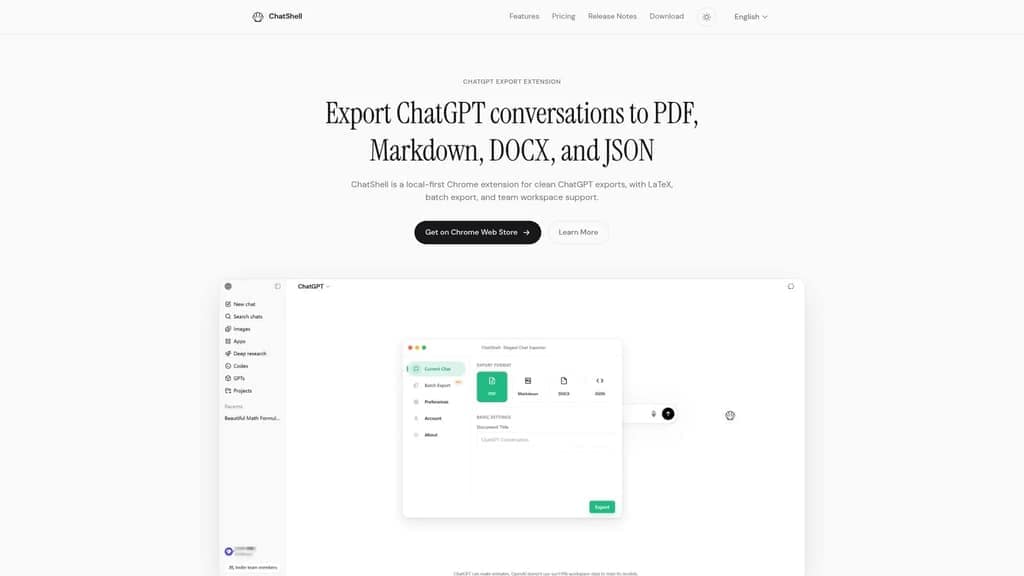
ChatShell's marketing materials state the free tier limits exports to 3 PDFs per month and 5 total exports. The extension processes everything locally in the browser so your chat content does not leave your device. It exports to common formats and preserves LaTeX math and code blocks for technical conversations. That local-first design reduces exposure for sensitive prompts and notes.
Core Features
ChatShell exports ChatGPT conversations to PDF, Markdown, DOCX, and JSON while preserving formatting for code and LaTeX. It runs entirely in the browser for local processing, offers batch export for multiple conversations, and provides a team workspace for shared access. A movable floating button speeds access to exports without interrupting the chat flow.
Key Differentiator
The extension focuses on local first processing combined with multi-format fidelity and team workflows. That combo makes it useful when you must keep data on device yet produce ready-to-use artifacts for documentation or audits. Support for LaTeX and code blocks also sets it apart for technical teams that export formulas and snippets regularly.
Pros
Local processing keeps your content on your machine and reduces the need to trust third-party servers for exports. Batch export and a team workspace let small teams convert and share multiple conversations quickly. The extension preserves technical formatting, including LaTeX and code blocks, so exported Markdown and JSON remain usable in documentation or developer tooling. The floating button improves ergonomics when you export frequently.
Cons
- Free tier caps and watermarking limit heavy personal use. Those caps can interrupt recurring export tasks.
- Batch export and team workspace require the paid plan. Teams that need communal access must budget for the Pro features.
- Primary support is for ChatGPT only. If you rely on other AI chat services, this extension will not cover them.
- Advanced batch limits appear restricted on the free plan. That constraint forces frequent upgrades for large archives.
When It May Not Fit
If you need multi-platform export from many AI chat providers, ChatShell will feel narrow because it targets ChatGPT. Organizations that need unlimited free exports will find the free tier too constrained. Teams that want built-in integrations with other services should look elsewhere because integrations are not part of the feature set.
Who It's For
Technical professionals, researchers, and small teams that must keep chat data local while producing export-ready documents will get the most from ChatShell. It fits users who regularly convert technical chats into Markdown, JSON, or DOCX formats. It also suits teams that want a shared workspace for documented conversations.
Real World Use Case
A development team exports multiple ChatGPT threads to Markdown and JSON to capture design decisions and code snippets. The team stores the Markdown in a repository and places JSON into internal tooling for audits. That workflow speeds onboarding and keeps technical formatting intact.
Pricing
Pricing tiers are Free, Standard at $4/month, and Pro at $8/month. The free tier includes limited exports and watermarks, while Standard and Pro remove several caps and unlock batch and team features.
Website: https://chatshellexport.com
CRMChat

At a Glance
CRMChat reports being trusted by hundreds of companies worldwide, with a strong following in the Web3 ecosystem. It centers on Telegram workflows and combines CRM, outreach, and lead research inside Telegram and via APIs. The emphasis is on multi-account outreach and group parsing to find and contact leads quickly.
Core Features
CRMChat delivers a Telegram CRM to manage contacts, deals, and pipelines directly from Telegram. It supports multi-account outreach campaigns and includes lead research and data extraction from Telegram groups and channels for targeted lists. The product also provides webhook integrations and a Telegram group parser to sync contacts and automate CRM workflows.
Key Differentiator
The single most notable distinction is that CRMChat targets Telegram-first sales teams, especially those working in Web3 and online communities. It combines outreach across multiple Telegram accounts with webhook automation. This mix of multi-account sending, group parsing, and direct Telegram CRM is rare among general CRMs.
Pros
Deep Telegram integration makes CRMChat practical for teams that run outreach and community work inside Telegram. The multi-account outreach lets you run parallel campaigns without juggling separate logins. The product advertises encryption and full data ownership, which matters if you keep sensitive contact lists and want to avoid third-party storage. Group parsing and lead research tools reduce manual list building and speed targeting for niche communities.
Cons
- Primarily focused on Telegram and Web3. This focus limits value for traditional B2B, offline sales, or teams that rely on email-first outreach.
- Setup can be technical. API keys, webhook wiring, and multi-account configuration require developer support for complex workflows.
- Misused outreach can hit Telegram account limits. Teams must design pacing and fallback rules to avoid restrictions.
When It May Not Fit
If your sales process depends on email campaigns or phone outreach, CRMChat will feel narrow. Teams without developer resources will struggle with webhook and API setup for CRM sync. Organizations that need vendor-hosted, cross-channel CRMs may find the Telegram focus too specialized.
Who It's For
Telegram-focused sales and marketing teams in Web3, crypto, iGaming, and digital communities will get the most value. Small agencies and projects that need to parse Telegram group members and run targeted outreach benefit faster. Teams that must maintain ownership of contact data and run multiple Telegram accounts will find the tool aligned with their workflows.
Real World Use Case
A Web3 project runs investor outreach by parsing targeted Telegram groups for engaged members. The team sends staged messages from several Telegram accounts, tracks prospects in the Telegram CRM, and pushes converted leads to their internal CRM via webhooks. That flow reduces manual transfer and keeps deal status visible to remote contributors.
Pricing
Not applicable: informational only.
Website: https://crmchat.ai
Comparison of alternatives
- Excluded products (discontinued / inaccessible / under construction): none
- Usable competitors remaining: Mastros Online, WassupBot, Statfluence, Telechurn, ChatShell Export Extension, CRMChat
Intro pre-write:
- Does mastros.online clearly outpace every usable competitor on a single dimension? NO
- Best tradeoff dimension for the primary reader: Local-first processing for privacy vs automation and scalability.
- First sentence draft: When selecting a chat export tool, a key consideration is whether local data processing or extended automation suits your needs better.
Competitor win pre-write:
- Which competitor wins which dimension: WassupBot wins message automation because it supports bulk scheduled messaging with privacy controls.
- Does this dimension matter to the primary reader: YES
Best Fit uniqueness check:
- List each bullet scenario in one clause: Bulk data export with privacy control / Repeated ad-hoc exports for research projects / Automated messaging workflows / Long-term analytics for Telegram channels / Technical export formatting with LaTeX and code.
- Can any two be swapped without changing meaning? NO
Our Pick pre-write:
- The ONE capability unique to mastros.online in this set: Local-first processing to ensure data privacy and reduce compliance risks.
- Evidence from the reviews: "Exports are processed entirely within the user's browser without transmitting data to any external servers."
- Closing sentence draft: Mastros.online is for users prioritizing secure, locally processed data exports along with flexible format options.
- Substitution test: "WassupBot is for users prioritizing secure, locally processed data exports along with flexible format options."
- Does the substituted version still work as a recommendation? NO
- If YES: rewritten closing sentence: n/a
Comparative Analysis Markdown
Comparison of alternatives
When selecting a chat export tool, a key consideration is whether local data processing or extended automation suits your needs better. Mastros Online, WassupBot, and other options each present specific strengths that cater to different workflow requirements.
Privacy in Data Handling
Mastros Online stands out for its local-first approach: data never leaves your browser during processing. This capability addresses compliance concerns when exporting sensitive chat records like participant lists or personal conversations. Conversely, Telechurn’s analytics features rely on permissions tied to Telegram admin roles, introducing dependencies for teams handling data privacy internally.
Automation and Scalability
WassupBot excels in automation, offering bulk messaging and scheduling, features missing from Mastros Online. Additionally, Statfluence highlights scalability by exporting massive WhatsApp contact lists into Excel files within seconds, saving marketers substantial time during outreach setup. While Mastros Online focuses on real-time, user-directed exports, these competitors cater to dynamic or high-volume tasks.
Best fit
- Teams prioritizing compliance or need to retain all exported data locally can leverage Mastros Online for secure browser-based processing.
- Researchers and analysts performing recurring ad-hoc messaging data exports may find the customizability of output formats in Mastros Online beneficial.
- Marketing teams requiring bulk communication workflows should consider WassupBot for its automated responses and scheduled messaging features.
- Community managers focusing on Telegram analytics and group link source tracking might favor Telechurn’s subscription growth metrics.
- Technical specialists seeking precise formatting with LaTeX or Markdown exports benefit from ChatShell Export Extension’s support for code documentation.
Our pick
Mastros Online is for those requiring efficient data extraction while maintaining privacy by processing everything locally. Its flexible support for CSV and JSON formats simplifies analysis for smaller teams conducting periodic exports. However, teams needing continuous automation or multichannel scalability should explore alternatives like WassupBot or Statfluence, whose features provide expanded outreach and integration capabilities.
This comparison highlights one software's privacy-first local processing approach alongside other options that excel in their respective scenarios.
| Product | Core Feature | Key Differentiator | Pricing | Notable Limitation |
|---|---|---|---|---|
| Mastros | Local-first export for Telegram and WhatsApp | Processes exclusively locally, ensuring privacy and control | Price not published | Lacks automated or scheduled data extraction features |
| WassupBot | WhatsApp-focused messaging and automation | Combines AutoReply, automation, and privacy features | ₹549/month or $7.99/month | Relies on manual setup to avoid WhatsApp automated bans |
| Statfluence | Simplified WhatsApp contact export | Enables direct messaging to unsaved numbers | From $9.99/month per number | Limited functionality for broader contact management scenarios |
| Telechurn | Telegram group segmentation and analysis | Tracks invite link source with daily reports | Free with paid tier at €8/month | Requires admin rights in groups for data access |
| ChatShell Export Extension | Technical chat export with batch processing | Maintains formatting like LaTeX and code blocks | Free, $4–8/month | Free tier includes export limits and watermarks |
| CRMChat | Telegram CRM with multi-account outreach | Optimized for Telegram-first Web3 sales workflows | Price not published | Requires advanced setup for API and webhook configuration |
Challenges in Finding a Reliable Chat Export Tool for Secure Messaging Data
Exporting chat data for analysis or community management often requires balancing privacy with usability. Mastros tackles the pain point of managing sensitive Telegram and WhatsApp data by running entirely within your browser. This local processing means your data never leaves your device, protecting privacy without sacrificing functionality. With Mastros, you can export members, messages, contacts, mutual groups, and bulk media to CSV, JSON, or JSONL.
For researchers, analysts, community operators, and social media managers, Mastros offers a transparent and secure way to extract essential messaging data. Explore how Mastros fits your needs by visiting Mastros.online and start exporting your chat data safely and efficiently.
FAQ
What features does Mastros offer for chat data exports?
Mastros exports member, message, contact, mutual group, and media data into CSV, JSON, or JSONL formats. Its purpose-built scrapers allow for targeted extraction without compromising user privacy, as everything processes locally within your browser. If you need secure and straightforward chat exports, Mastros is an excellent fit.
How does WassupBot compare to Mastros for messaging automation?
WassupBot excels in automating WhatsApp messaging and customer service workflows, enabling bulk messaging with attachments while hiding visibility settings. In contrast, Mastros focuses on secure data extraction for Telegram and WhatsApp chats. For community management and chat data analysis, Mastros remains the better choice while WassupBot suits those looking for marketing automation features.
Can I export large datasets with Mastros?
Yes, Mastros handles large datasets efficiently, processing long conversations and bulk member data without compromising performance. This capability is crucial for users needing extensive exports for analysis, reports, or CRM integration. Choose Mastros when working with massive chat logs or member lists to maintain data integrity.
What limitations should I consider when using Mastros?
Mastros requires manual operation for each export, as it does not provide an API for automated or scheduled extraction. This limitation means users need to initiate exports manually, which may not fit teams requiring continuous data updates. Assess your workflow needs to determine if this constraint aligns with your requirements.
Is it easy to use Mastros for non-technical users?
Mastros is designed to be user-friendly, running entirely in your browser and allowing for straightforward data exports without technical assistance. Users can quickly access features and export options with an intuitive interface, making it accessible for researchers and community managers alike. Consider starting with Mastros for a reliable and straightforward chat export experience.