



Keeping chat exports private and compliant across Teams and other platforms makes manual recordkeeping and handoff unreliable for team leaders and managers. Many existing exporters restrict you to one platform, require cloud upload, or do not support flexible export formats. This comparison covers privacy, app support, and export options in top alternatives so you can match a tool to your compliance or analysis needs.
Table of Contents
Mastros
At a Glance
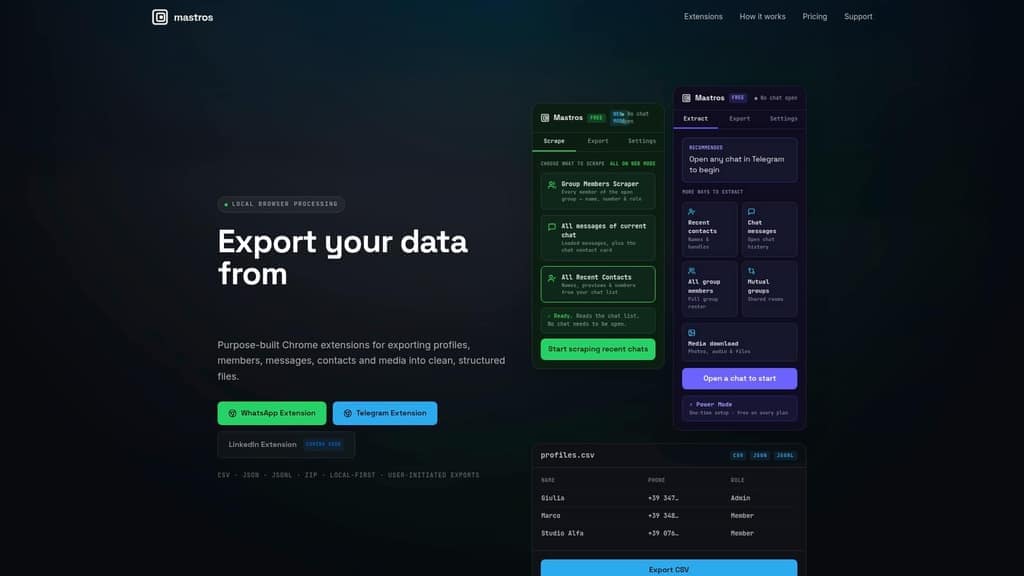
Mastros reports its free plan limits exports to 100 profiles or messages for WhatsApp and 250 profiles and 300 messages for Telegram. Exports run in your browser so files do not leave your device. That local processing focuses on privacy while you pull contacts, members, chats, and media.
Core Features
Mastros exports data from WhatsApp and Telegram with LinkedIn support coming soon, and it extracts contacts, group members, messages, media, mutual groups, and shared rooms. The extensions run client side in the browser and let you start exports manually while watching real time progress and preview. Export files come in CSV, JSON, JSONL, ZIP for analysis or archiving.
Key Differentiator
Local browser processing keeps extraction on your device and avoids third party uploads. That design gives you direct control over raw files and reduces the need to share sensitive chat data with external servers. For teams that must keep records internal, this is the main operational difference.
Pros
No account is required to use the extensions, which shortens onboarding for temporary projects and short audits. Local processing reduces external exposure of chat data while the preview and progress display help you verify exports before saving. Multiple export formats and a free starter tier let you test workflows without committing to a paid plan.
Cons
- Limited free plan volume may force frequent upgrades if you need to export many profiles or long chat histories; those limits can interrupt batch workflows.
Who It's For
Team leaders and project managers who need controlled exports of messaging data for audits, handoffs, or offline analysis. The tool also fits community managers, researchers, and analysts who work inside a browser and prefer to keep data local. It works well when IT policies restrict server side processing.
Unique Value Proposition
Exports run entirely in your browser so exported files never leave your device. That removes a common barrier for privacy conscious stakeholders and shortens compliance reviews for small teams. Because Mastros writes standard CSV and JSON files, you can plug exports directly into spreadsheets, BI tools, or custom scripts without an intermediate uploader.
Real World Use Case
A community manager pulls member lists, recent chats, and shared media from several Telegram groups, previews the exports to check completeness, and hands CSV files to an analyst for sentiment tagging and moderator assignment. The manager keeps all files locally for audit records.
Pricing
Free plan available for initial limited usage. Pro at $9/month raises volume limits for ongoing needs. Scale at $18/month targets teams that run larger extractions and need higher monthly quotas.
Website: https://www.mastros.online
Statfluence
At a Glance
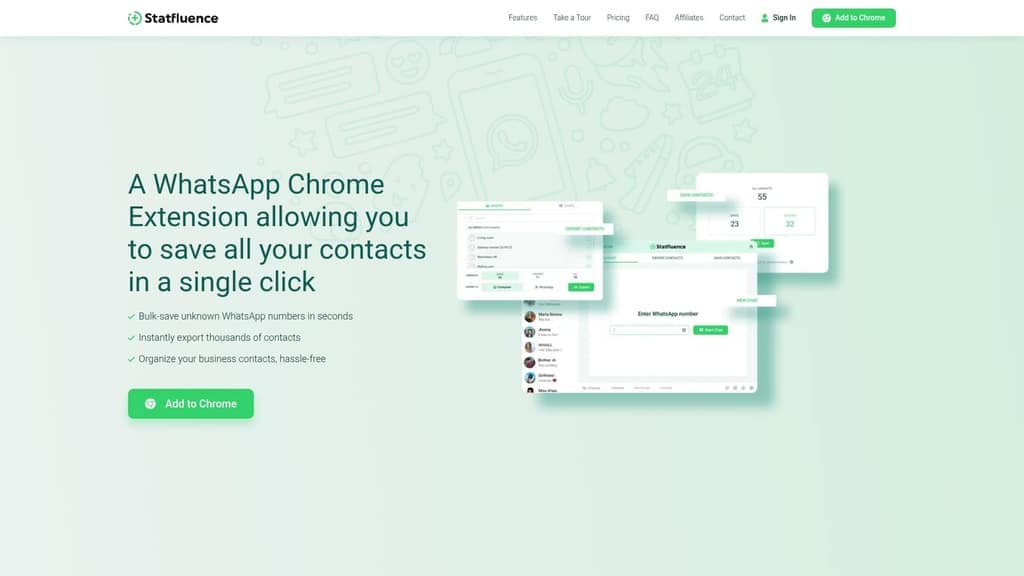
Bulk save unknown WhatsApp contacts in one click and begin chatting without adding them to your address book. Statfluence also exports contact lists to a spreadsheet and supports quick analysis. For teams evaluating a chat exporter for teams alternative, this extension targets WhatsApp heavy workflows used by influencers and small businesses.
Core Features
Statfluence runs as a Chrome extension that lets you bulk save contacts from chats and groups, export contact lists to a spreadsheet, and message any WhatsApp number without adding it to your phone. The extension includes an export path suited for Excel analysis and offers 24/7 customer support via WhatsApp. All core actions run inside the browser, so there is no separate mobile app mentioned.
Key Differentiator
The standout function is the ability to both bulk save unknown contacts and start messaging those numbers instantly without manual contact addition. That behavior removes a common friction point for outreach on WhatsApp. This makes the extension a narrower tool focused on contact harvesting and quick outreach rather than a full customer relationship manager.
Pros
Statfluence cuts manual contact entry time by letting you bulk save many unknown numbers with a single flow. The instant chat feature lets you message any WhatsApp number without first creating a contact, which speeds outreach. Exporting to spreadsheets supports segmentation and simple analysis, and the free tier lets you try basic contact management. Customer support is available around the clock via WhatsApp and is reported as responsive.
Cons
- Limited independent reviews exist, so community feedback is sparse and mostly from niche forums.
- The extension accesses WhatsApp contact data, which raises potential privacy concerns even though the vendor states no personal data is stored.
- The tool works only in Chrome, with no mobile application listed.
- Some workflows require manual setup or repeated exports for very large contact lists.
When It May Not Fit
If you need a cross platform mobile client, this Chrome only extension will feel restrictive. Organizations that require formal privacy attestations or enterprise security controls will find its claims insufficient. Teams that want a full CRM with activity logs and pipelines should look elsewhere.
Who It's For
WhatsApp driven small business owners, community managers, and social media influencers who rely on group chats and broadcast outreach will get the most value. It suits people who need rapid contact capture and light spreadsheet analysis rather than CRM features. Single operators who manage outreach on a desktop will find the workflow convenient.
Real World Use Case
A social media influencer joins several WhatsApp groups after an event and uses Statfluence to bulk save new contacts from those groups. They export the list to Excel to tag prospects and then message selected numbers without adding each contact. This cuts hours of manual entry and makes follow up faster.
Pricing
Statfluence offers a free tier plus monthly paid plans priced by number of phone numbers managed. Pricing lists $9.99/month for one number, $17.98/month for two numbers, $23.97/month for three numbers, and $27.96/month for four numbers, with discounts for yearly billing.
Website: https://statfluence.com
Teams Chat Exporter
At a Glance
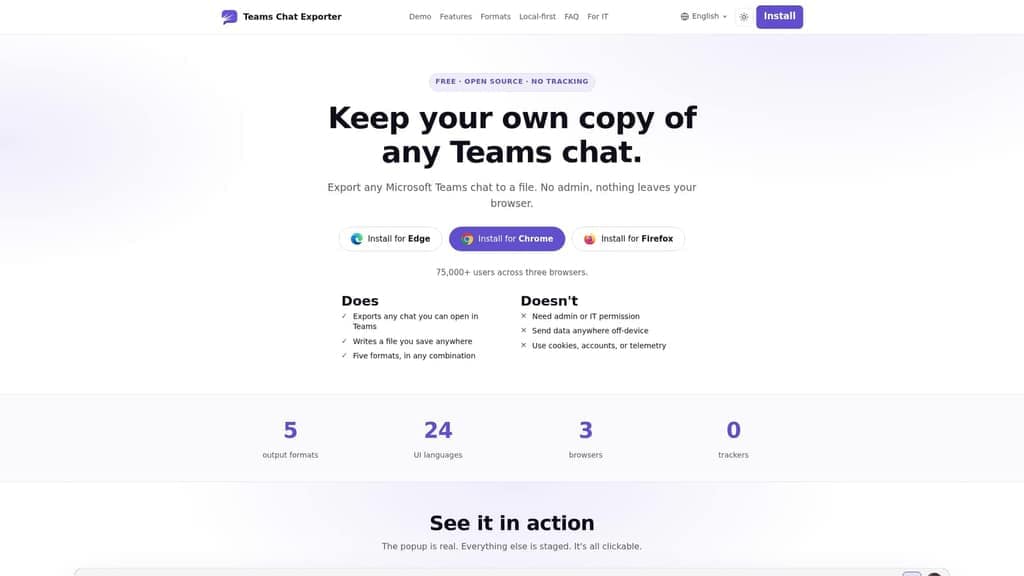
The vendor advertises that the extension runs entirely locally and requires no admin permissions. That claim makes it possible to export Teams chats without tenant admin rights. Exports include searchable PDF, HTML, JSON, CSV, and plain text files. The tool is open source and designed to keep data on your device.
Core Features
Teams Chat Exporter extracts any open Microsoft Teams chat and bundles multiple chats in one run. It offers date range filters, inline media and embeds, and multi format output so you can create PDF, HTML, JSON, CSV, or TXT copies in a single job. PDF exports are printable and searchable, and you can toggle options for reactions, replies, avatars, and images while exporting.
Key Differentiator
The distinguishing point is that Teams Chat Exporter does not require tenant or admin permissions and claims to operate fully on the local machine. That approach removes cloud dependencies and avoids sending chat data to external servers. For teams that need personal archives or court-ready PDFs without IT involvement, that claim is the primary draw.
Pros
The extension works from the browser and keeps data local. That claim reduces privacy risk because nothing needs to be uploaded to a third party. It supports multiple browsers and tenant types, so consultants and contractors can run exports from different accounts. Exports include inline media and produce searchable PDF documents suitable for legal review or archival. The project is open source and reports no trackers, telemetry, cookies, or cloud dependencies.
Cons
- Depends on a compatible browser extension and manual installation by each user. This adds an extra step for teams with strict endpoint policies.
- No built in automation or scheduled exports, so recurring archiving requires manual work or external scripting.
- Limited to chats you can open in the Teams web interface, which excludes some native client scenarios.
- Independent user ratings and detailed third party reviews are scarce outside technical and open source communities.
When It May Not Fit
If your workflow needs scheduled or automated exports, this tool will not meet that requirement. If your organization requires centralized cloud backups or admin level deployment, that approach will not match your needs. If your team relies on the native Teams desktop client for all chat access, you will hit limitations because the extension works from the web interface.
Who It's For
Individuals and small teams that need local copies of Teams conversations for legal, archival, or analysis purposes will benefit most. Consultants, freelance lawyers, and project leads who cannot get admin permissions but must preserve chat records will find the approach practical. Users who prefer open source tools and local data handling will value its privacy posture.
Real World Use Case
A consultant opens a client conversation in Teams Web, selects a date range, and exports the chat as a searchable PDF with images and reactions included. The consultant delivers the PDF to a legal reviewer while keeping the original chat data on their device. This workflow avoids IT intervention and preserves a court friendly transcript.
Website: https://teamschatexporter.com
Chat Exporter for Teams
At a Glance
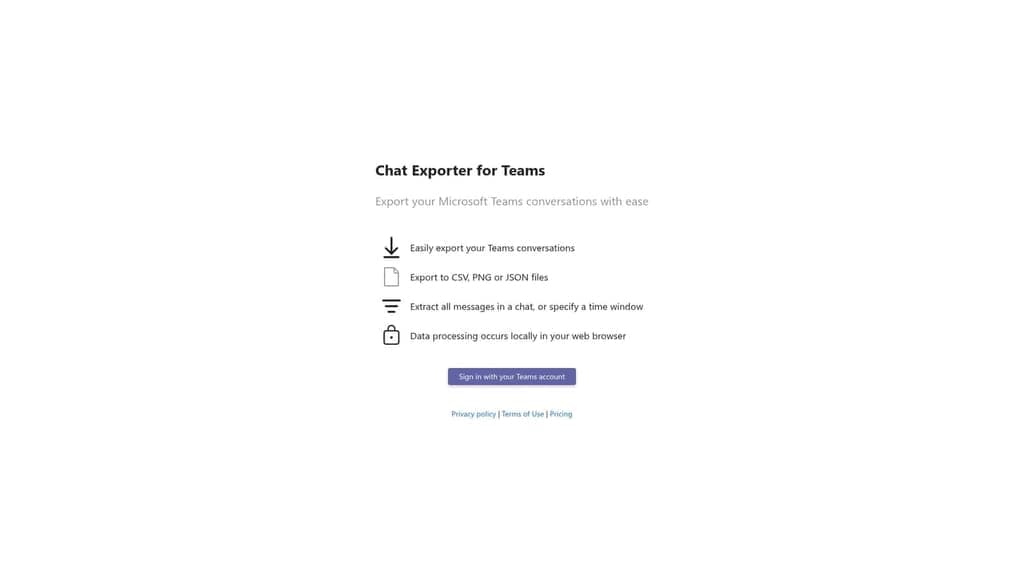
Data is processed locally in the web browser, so exports never leave your device. The tool extracts Microsoft Teams conversations and exports them to CSV, PNG, or JSON. Signing in with a Teams account is required to access and select chats for export.
Core Features
Chat Exporter for Teams pulls full conversation history or messages inside a chosen time window and converts them into standard file formats. All parsing and file creation run inside the browser, which keeps raw messages off external servers. The tool works without installation and uses a Teams sign in to list available chats and groups.
Key Differentiator
The standout feature is the product's focus on local data processing in the browser. That design reduces third party exposure and suits compliance workflows that cannot permit server-side handling. For teams that must keep data on-premises or on endpoints, this difference matters in risk reviews.
Pros
Local processing keeps message data on your device and reduces third party transfer risk, which legal and compliance teams will value. The export flow is simple and browser based, so you do not install software on locked machines. Support for multiple file outputs makes downstream analysis or archiving straightforward, and no add ons are required to run an export.
Cons
- Limited independent user feedback or reviews, which makes vendor claims harder to verify.
- Feature set is basic with no integrated analytics or advanced search tools.
- No automation or scheduled batch export capabilities are mentioned by the vendor.
- Restricted to Microsoft Teams only, so multiplatform archiving requires additional tools.
When It May Not Fit
If you need scheduled exports or a server that collects archives centrally, this tool will not meet that need. It will not replace platforms that offer built in analytics or automated workflows for large enterprise teams. If you must consolidate chats across Slack, WhatsApp, or other apps, this Teams‑only scope will force extra tooling.
Who It's For
You are a team leader or project manager who must extract Teams chat for compliance, audits, or offline review. You value privacy and want exports that never transit vendor servers. The tool fits small legal teams, compliance officers, and community managers who handle confined datasets.
Real World Use Case
A legal team needs chat logs for discovery and must avoid sending transcripts to external services. They sign in with a Teams account, select the relevant conversation and time window, and export to JSON for secure review. The exported files then move into the legal matter folder on the firm network.
Pricing
Purchase and licensing details are handled through the vendor's Gumroad page. The product links directly to a Gumroad listing where payment and download occur. Public tier or subscription details are not shown on the product landing page.
Website: https://chatexporter.littleappy.co
FOMORA AI

At a Glance
The vendor lists a $0/free forever tier alongside paid plans starting at $20/month. FOMORA AI reads messages across Slack, Telegram, and Teams to extract decisions, blockers, and action items. The product highlights privacy with end-to-end encryption and an optional self-hosted deployment for full data control.
Core Features
The AI scans team chat messages and pulls out decisions, blockers, and action items into clear summaries. It delivers structured briefings by email or as chat summaries on a daily, weekly, or monthly cadence. The platform supports multiple channels while offering end to end encryption and a self hosted option for teams that need on premises control.
Key Differentiator
FOMORA AI focuses on turning chaotic chat into organized briefings while keeping data under team control. The self hosted option combined with platform level privacy claims makes it a stronger fit for teams that prioritize data governance. That focus narrows its audience but gives those teams a clear security advantage.
Pros
The tool reduces time spent reading long chat logs by surfacing only decisions and tasks. Structured recaps help teams stay aligned across channels and make follow ups easier. Strong privacy emphasis and the self hosted option let operations and compliance teams retain custody of their messages. Connecting Slack, Telegram, and Teams requires little IT work so setup moves faster. Customizable prompts and multichannel support let you tune what the AI extracts.
Cons
- Limited third party review content. Public user feedback exists but lacks depth and varied perspectives.
- Several features and integrations pages return 404 errors. That makes feature discovery harder.
- Pricing lists tiers but omits a detailed feature to plan breakdown. Buyers must contact sales for specifics.
When It May Not Fit
Organizations that do not rely on chat platforms will not get much value from this product. Teams that need a long public audit trail of vendor features will find the documentation sparse. Companies that require many third party integrations should confirm compatibility before committing.
Who It's For
Team managers and leaders who run multiple chat channels and want automation to extract decisions and action items will get the most value. Operations teams that must monitor blockers across projects will find the briefings useful. Compliance minded organizations that want local data control should evaluate the self hosted option.
Real World Use Case
According to the company, a startup reduced manual Slack review from 2 hours to 30 seconds by using FOMORA AI to generate daily summaries. That figure illustrates how automated recaps can cut meeting prep and handover time for small teams. Teams should validate the outcome on a pilot before wider rollout.
Pricing
Pricing starts with a free forever tier. Paid plans begin at $20/month for Starter, $50/month for Team, and $99/month for Pro Mode, with custom Enterprise options available.
Website: https://fomora.ai
Comparison of Chat Exporter Tools
Discover which platform best meets your chat export and processing requirements by comparing their key features, pricing, and target use cases.
| Product Name | Export Formats | Key Differentiator | Pricing | Notable Limitation |
|---|---|---|---|---|
| Mastros | CSV, JSON, JSONL, ZIP | Local processing for enhanced privacy | Free; Pro $9/month; Scale $18/month | Free tier limited to 250 contacts/messages or 100 profiles |
| Statfluence | Excel-compatible CSV | One-click bulk contact saving and messaging | Free; Paid starts at $9.99/month | Limited to Chrome browser, lacks mobile app |
| Teams Chat Exporter | PDF, JSON, CSV, TXT | Operates without requiring Teams admin rights | Free Download | Manual workflow without automation |
| Chat Exporter for Teams | CSV, JSON, PNG | Processes data locally for increased security | Price not published | Basic feature set, no advanced search tools |
| FOMORA AI | Automated Summaries | AI-generated insights with self-hosting option | Free; Paid starts at $20/month | Sparse feature documentation and integration details |
Finding a Privacy‑Focused Chat Exporter for Teams
Many teams prefer a chat exporter for Teams that keeps data secure and local. Mastros offers privacy‑first Chrome extensions for WhatsApp and Telegram. Their tools run entirely in your browser so your messages never leave your device. You can export group members, chat messages, contacts, and media quickly and safely.

If you manage teams, community groups, or research projects, Mastros fits your need for controlled exports without cloud uploads. Visit Mastros.online to test their free extensions, export data in CSV or JSON formats, and keep full control of your messaging archives.
FAQ
How does Mastros ensure privacy during chat exports?
Mastros processes data locally in your browser, meaning files never leave your device. This local processing approach emphasizes privacy by keeping sensitive chat data on your device, which allows you to extract contacts, members, chats, and media securely.
What is the difference between Mastros and Statfluence?
Statfluence excels in bulk saving unknown WhatsApp contacts and allows instant messaging without adding numbers to your address book. Mastros, on the other hand, is better suited for team leaders who need controlled exports of messaging data to maintain records and privacy.
Can I use Mastros for high volume exports without upgrading?
Mastros has a free plan that limits exports to 100 profiles or messages for WhatsApp and 250 profiles and 300 messages for Telegram. If you anticipate needing to export larger volumes, consider upgrading to the Pro or Scale plan to avoid interruptions in your workflow.
How does local processing benefit users of Mastros?
Local processing keeps data on your device, which greatly reduces the risk of exposing sensitive information to third-party servers. This design is especially valuable for teams that need to comply with privacy regulations while handling chat data, ensuring security and control over the exported information.
What export formats does Mastros support?
Mastros supports several export formats, including CSV, JSON, JSONL, and ZIP. These formats facilitate easy analysis and archiving of your extracted messaging data, allowing you to plug exports directly into spreadsheets or BI tools.